Data exfiltration is becoming a growing concern for housing associations.
With bad actors getting smarter and focusing on credential harvesting and identity impersonation, the need to protect sensitive data is greater than ever.
Whether it’s tenant information or details about contracts, attackers are looking for ways to extract valuable data from your organisation.
We’ve already covered what data exfiltration means. This blog will walk you through how to better detect data exfiltration events before they escalate. This will help you protect your housing association’s data.
Why housing associations are targeted
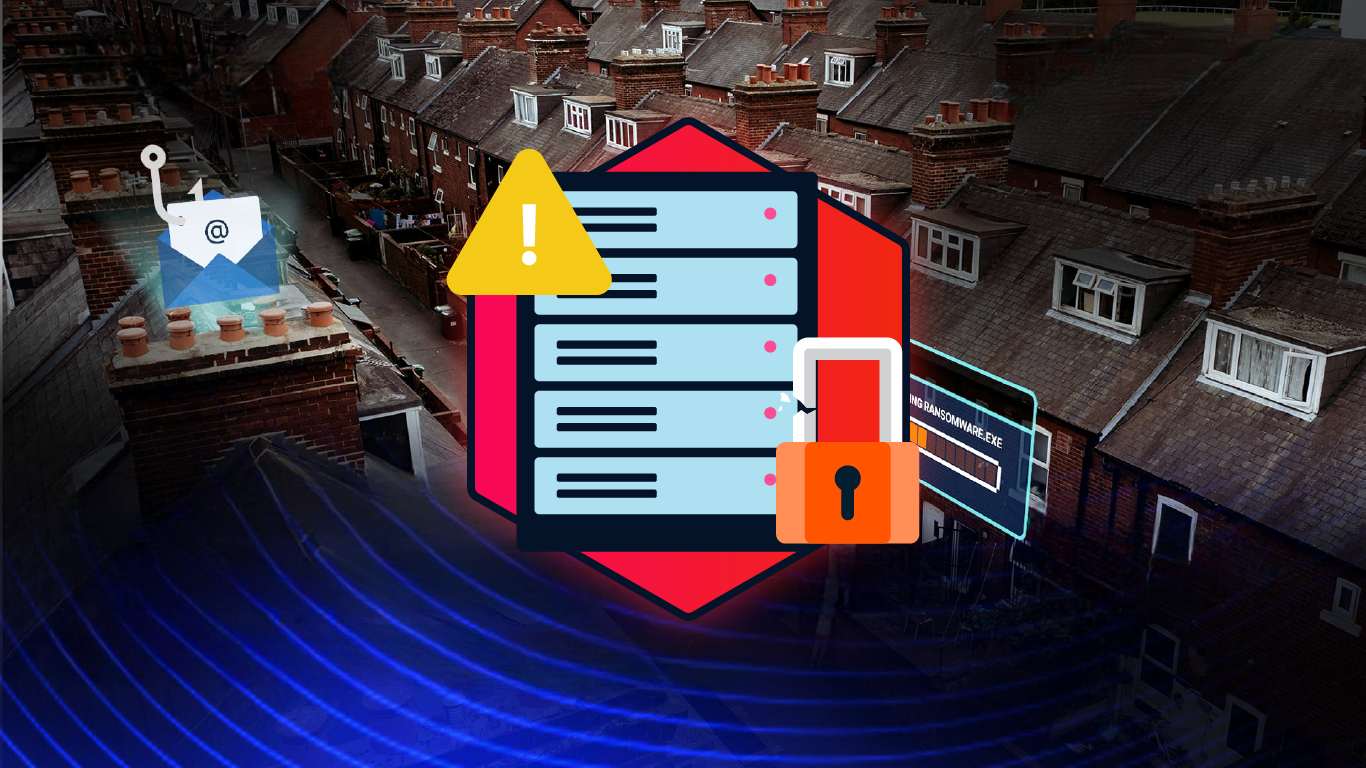
Housing associations are prime targets for several reasons.
You’re managing sensitive data. You deal with a wide range of tenants, and often undergoing mergers or working with third-party suppliers. This makes your organisation a lucrative target for cybercriminals.
We discussed this in our recent webinar on Housing Association Cybersecurity Strategy. We explored how attackers target housing associations and the steps you can take to protect your data.
Attackers use multi-layered attacks. This often starts with identity impersonation or credential theft. Once inside, they can exfiltrate data over time, making it difficult to detect in real-time. This slow-drip approach often goes unnoticed until it’s too late.
Your challenge? Spotting these events before they do any real damage.
Understanding the signs of data exfiltration
If you’re going to detect data exfiltration early, you need to knowing the warning signs. Here’s what to look out for.
Unauthorised applications
One of the first things to watch for is unauthorised applications running in your system.
Housing associations often deal with a high volume of applications. Some of these may have overly generous permissions. Attackers can exploit these, which makes it easier to steal data.
Regularly review your application permissions. Look for apps with more access than they need. Flag anything that looks unusual.
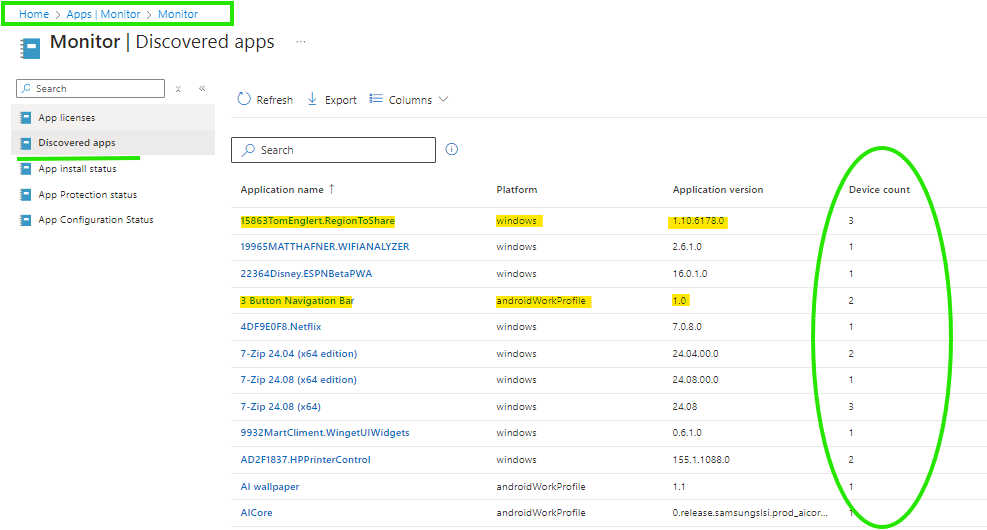
Example: Microsoft Intune
Use case: To monitor and manage applications on enrolled devices across the organization.
How to check for unauthorised apps: In Microsoft Intune, use the Intune Management Extension to discover installed applications on managed devices.
- Navigate to the Microsoft Endpoint Manager admin center at https://endpoint.microsoft.com and sign in with your administrator credentials.
- Go to Apps > Monitor > Discovered apps.
- Review the list of detected applications, including their names, publishers, versions, and the number of devices on which they are installed.
This allows you to cross-reference the list of discovered applications with your organisation’s approved software list to identify any unauthorised apps.
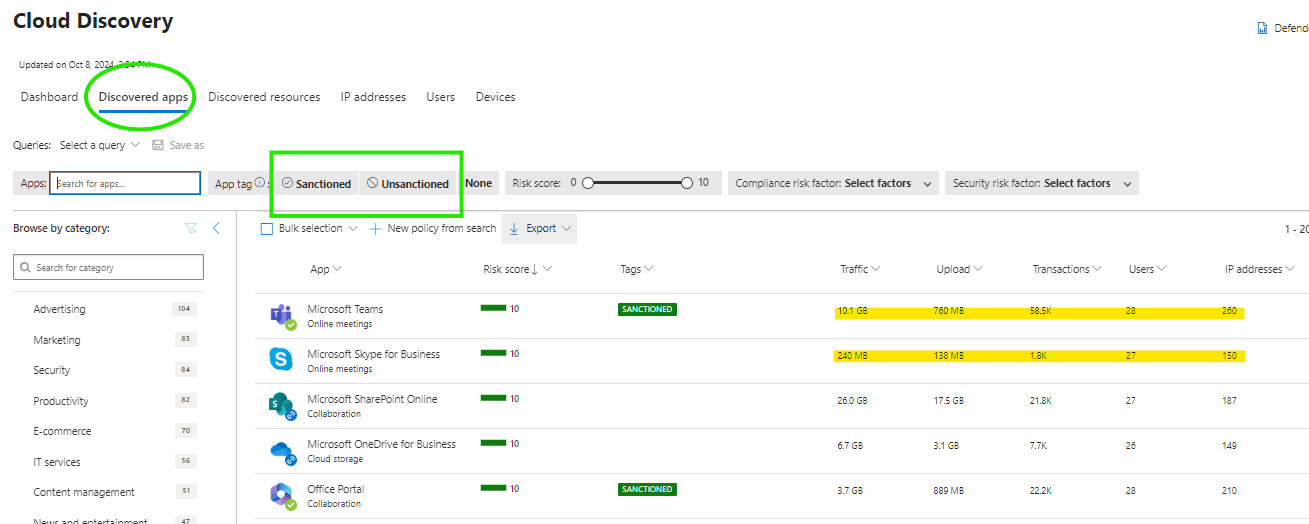
Example: Microsoft Defender for Cloud Apps (DfCA)
Use case: To capture discovered applications within the organisation and enable administrators to sanction or unsanction them based on security and compliance policies.
How to check for unauthorised apps: In Microsoft Defender for Cloud Apps, the DfCA component identifies and logs applications that are being used across the network.
- Access the Defender for Cloud Apps portal and navigate to the Cloud Discovery Dashboard.
- Review the list of discovered applications along with their risk assessments.
- Administrators can then evaluate the apps, deciding to sanction (allow) or unsanction (block) based on their compliance with organisational policies.
This process helps ensure that only authorised and secure applications are used within your business environment, minimising the risk of shadow IT and potential security threats.
Unusual data movements
Data exfiltration often involves large, unusual data transfers. This could happen during off-peak hours or times when the workforce is minimal. Holiday periods are a prime example, usually seeing a 30% increase in attacks according to research.
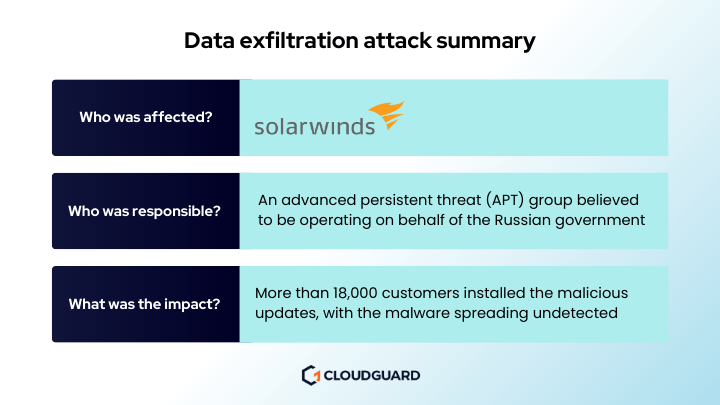
One of the more notable examples is the SolarWinds attack right before Christmas 2020. Hackers gained entry into networks by getting more than 18,000 private and government users to download a tainted software update. Once inside, they were able to monitor internal emails at some of the top agencies in the US.
Set up alerts for out-of-the-norm data movements. For example, you see massive file transfers in the middle of the night or during long weekends. That could be a red flag.
Example: Microsoft Defender for Cloud Apps
Use case: This tool provides visibility into cloud app usage and can monitor for abnormal activities, such as large file transfers.
How to set up alerts for data movements:
- In Microsoft Defender for Cloud Apps, go to Control Center > Alerts.
- Set up Custom Alerts to specify the conditions that would trigger notifications, such as abnormal file transfers or activities that deviate from normal patterns.
- You can create policies to automatically notify administrators or take action when these unusual activities occur, helping to mitigate potential data breaches or compliance issues.
Time-based evasion
Hackers aren’t just getting in and grabbing data immediately.
They know that your systems are monitoring for unusual behaviour. So, they spread out their activity over weeks or even months. This makes it harder for traditional systems to catch them.
Matt Lovell, CloudGuard CEO and cybersecurity expert, said:
Time-based evasion is one of the most sophisticated tactics we’re seeing in data exfiltration today. Attackers spread their activity over weeks or even months, making it extremely difficult to detect using traditional real-time monitoring. They know how to stay under the radar, which is why it’s critical to track patterns and anomalies over extended periods.
Watch for patterns over time. If a user is slowly pulling out data over an extended period, that’s a strong indicator something’s wrong.
Example: Azure Monitor with Azure Storage Analytics
Use case: If your data is being stored or transferred via Azure, Azure Monitor can track detailed logs about resource usage, while Storage Analytics can give insights into the use of storage accounts.
How to monitor for time-based evasion:
- Use Azure Storage Analytics logs to track read, write, and delete operations over time.
- Set up Azure Monitor alerts based on the logs to identify long-term patterns of access. For example, if a user is slowly downloading files from a storage account over time, you can configure alerts that trigger when access patterns become suspicious.
Absent employees
Cybercriminals are opportunistic.
They often strike when key employees are on leave or absent for other reasons. With fewer people around, there’s less chance of detection. Check out our article on Business Email Compromise attacks for an example of this in action.
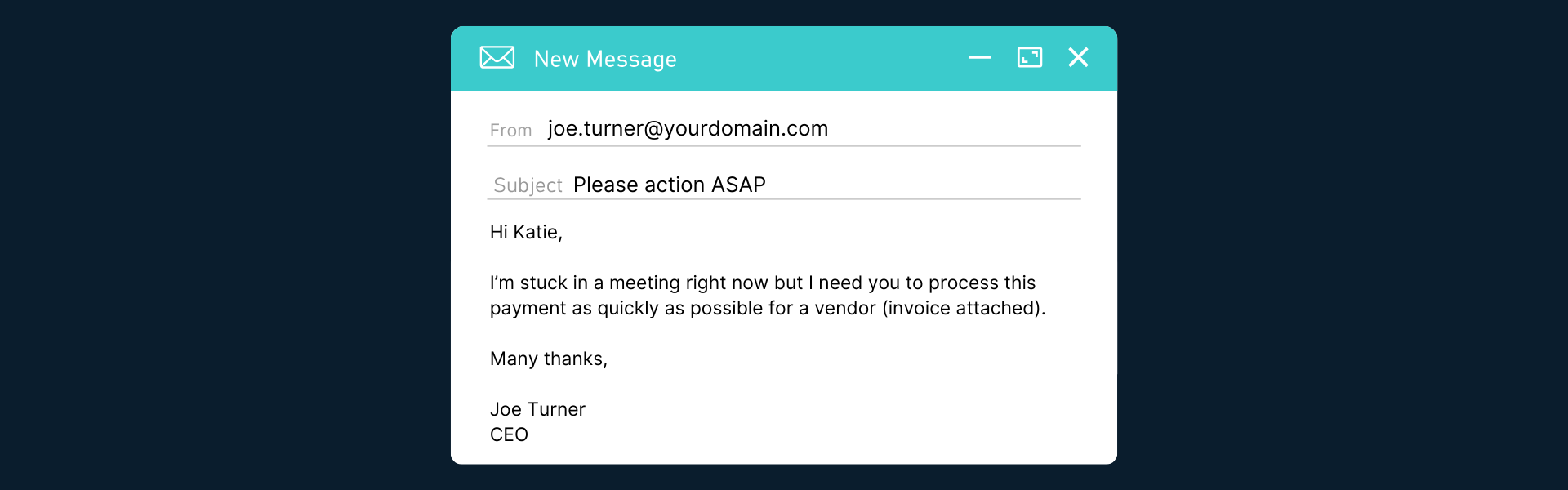
Out of Office messages often contain details about an employee’s absence, such as the reason for their leave or their return date. This information can be used by attackers to impersonate the absent employee or craft convincing phishing emails.
Best practices for secure out-of-office messages
- Be brief and simply state your absence and return date.
- Only provide general contacts by sharing a team email or phone number, not individuals.
- Skip personal details and avoid sharing travel plans or personal info.
- Use MFA to protect your email with multi-factor authentication.
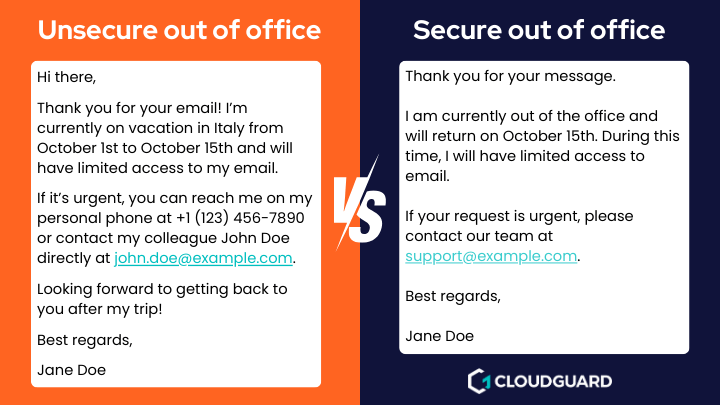
Implement strict access controls and log monitoring during these periods. Knowing who has access to what and when is vital to catching unauthorised activity.
Correlating identity protection with data movement
Data exfiltration is often linked to identity theft or misuse.
That’s why correlating identity protection with data movements is crucial. You need to be able to spot if someone is trying to exfiltrate data using stolen credentials immediately.
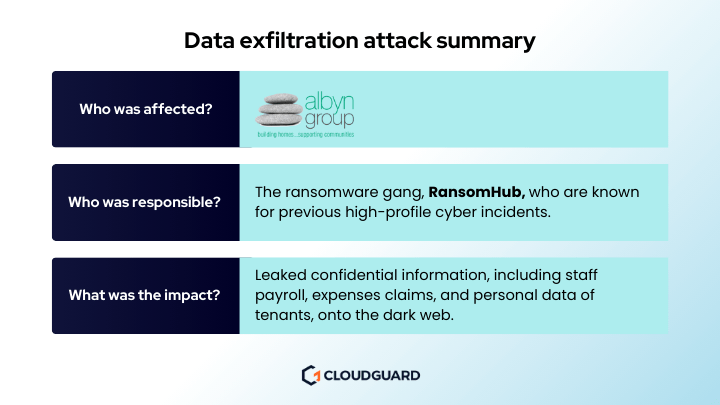
Housing associations should focus on identity protection across all touchpoints, including networks, endpoints, and applications.
Tools like SIEM (Security Information and Event Management) allow you to monitor user behaviour and flag unusual activity quickly. By correlating data movements with user identities, you can prevent attackers from blending in with normal users.
Here’s an example. If a user’s accessing sensitive data from an unusual location or device, that should trigger an alert. If you see lateral movement from one system to another without a clear reason, investigate.
Recommending a SIEM solution
For the above, we recommend the Microsoft Sentinel SIEM solution. It offers several key advantages to housing associations.
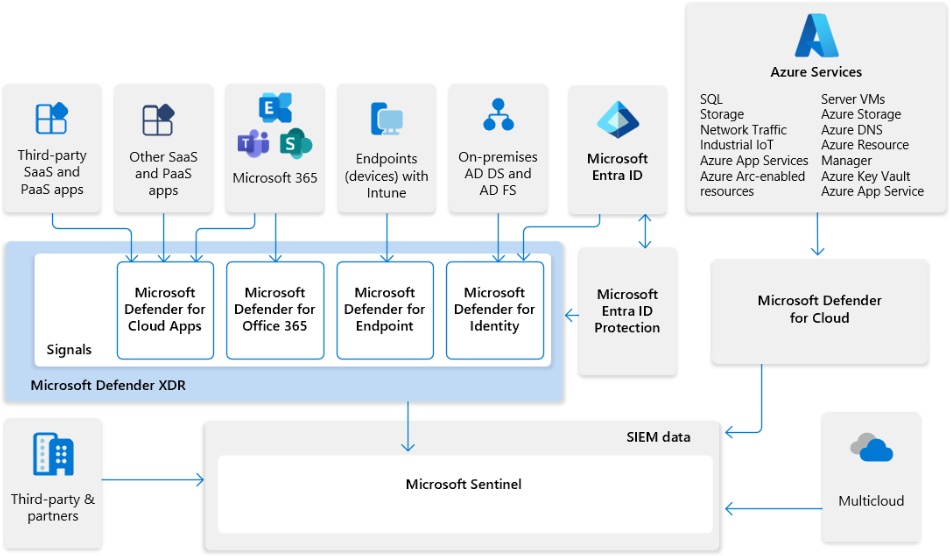
- Sentinel collects data across your entire organisation, including cloud, on-premises, and hybrid environments. This gives you a complete view of potential threats.
- Microsoft Sentinel uses AI and machine learning to detect suspicious activity, helping you catch data exfiltration attempts early.
- Sentinel allows you to automate incident responses, reducing the time it takes to mitigate risks and their potential impact.
- It easily integrates with existing Microsoft services like Azure Active Directory and Defender, streamlining identity correlation and threat analysis.
- Sentinel is built to scale with your organisation. It provides the flexibility needed as your housing association grows.
Microsoft Sentinel was also named a Leader in the 2024 Gartner® Magic Quadrant™ for Security Information and Event Management.
The importance of baselines
You need to know what ‘normal’ looks like in your organisation before you can detect data exfiltration.
That’s where baselines come in. By creating a baseline of usual user behaviour and data access, you’ll be able to set clear tolerance levels.
Start by monitoring how employees interact with your data daily. Over time, you’ll be able to spot anomalies like sudden spikes in data access or new applications being installed without approval.
Once you’ve established a baseline, configure your security systems to flag anything that falls outside of it. This can be especially useful for detection slow exfiltration attempts, where hackers pull out data in small chunks to avoid detection.
Javid Khan, Chief Technology Officer and cyber technology expert said:
Baselines are the cornerstone of our security strategy. They provide a clear understanding of typical user behaviour, enabling us to detect deviations that may indicate a security threat. In a world where attackers continuously adapt, having a solid foundation allows us to stay one step ahead and protect our customers’ most valuable data.
We use Microsoft Defender. Here, you can establish baselines by monitoring users’ normal behaviour patterns.
This allows Defender to automatically detect and flag any unusual or suspicious activity that deviates from these norms.
We’ve also integrated Microsoft Defender into Microsoft Sentinel to enhance detection by correlating identity-based insights with broader security events across your organisation.
Insider threats
While much of the focus is on external threats, insider threats are just as dangerous.
Whether it’s an employee with too much access or someone intentionally leaking data, insider threats are tricky to manage.
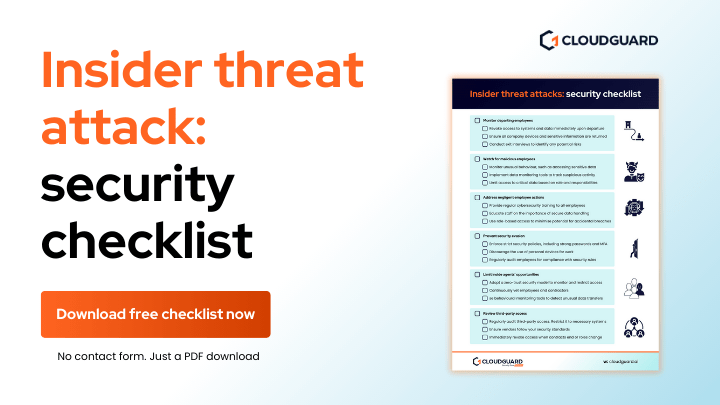
Regularly audit permissions and access levels. Ensure that employees only have access to the data they need for their roles. Pay attention to high-risk users. These are usually people in senior positions, finance, or IT roles who have access to sensitive information.
Monitoring user behaviour can help here too. If someone’s accessing data outside of their usual scope or downloading files they shouldn’t be, it’s time to investigate.
Managing API permissions and third-party risks
API permissions are a growing target for attackers.
A prime example of this is the faulty Peloton API that allowed unauthenticated access to user data.
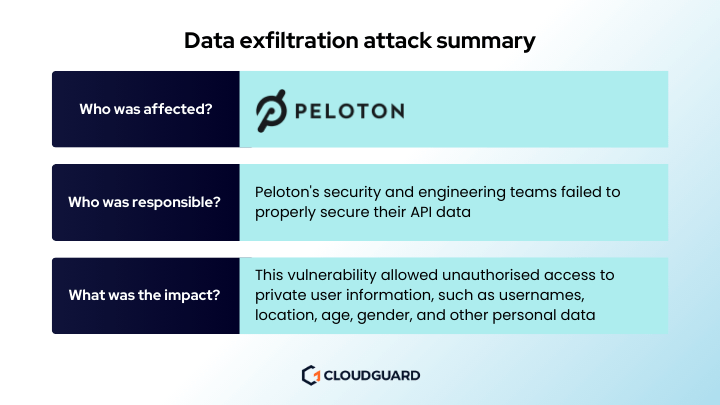
Like Peleton, many housing associations use third-party apps and services to manage day-to-day operations. These apps often have access to sensitive data.
Regularly review your API permissions. Ensure that any third-party applications only have the permissions they absolutely need.
This is particularly important after mergers or acquisitions, where third-party apps from one entity may still be connected to another.
You should also look at the supply chain.
Often, third-party suppliers are granted access to housing association data. After contracts end or suppliers are replaced, this access should be revoked immediately. If not, it leaves a dangerous security gap that attackers can exploit.
6 ways to better detect data exfiltration in housing associations
- Regularly review and limit application permissions.
- Flag large or unexpected transfers, especially during off-hours. API permissions
- Correlate user identities with data access to catch misuse.
- Establish normal behaviour baselines to detect anomalies.
- Audit permissions regularly and monitor high-risk users to minimise insider threat risks
- Secure your API permissions and limit third-party access. Remember to review permissions after mergers or contract changes.
Summary
Data exfiltration is a serious threat to housing associations.
The good news? With the right tools and strategies in place, you can detect data exfiltration and stop these attacks before they cause significant damage. The key is being proactive. Monitoring unauthorised applications, setting up baselines, and correlating data access with user identities.
By taking these steps, you can better protect your organisation’s most sensitive data.
Stay vigilant. The more you can spot and prevent these attacks early, the more secure your housing association will be.
Confident you can detect data exfiltraiton? Read our next article on improving your data exfiltration incident response.
Want to learn more?
Watch our Housing Association Cybersecurity Strategy webinar on-demand.