If you’re trying to work out which Microsoft Purview licence you actually need (and what it’s going to cost you if you get it wrong), you’re not alone. It’s one of the most common questions our team fields, and the answer is rarely as straightforward as Microsoft’s licence table makes it look.
At CloudGuard, we’ve spent over 15 years working inside the Microsoft security stack. Our consultants hold Microsoft Security Architect–level qualifications, and as a Microsoft Solutions Partner for Security, Data & AI and Azure, we’ve helped organisations across housing, critical infrastructure and the wider enterprise sector get Purview working in the real world.
In this guide, we’ll walk you through exactly what each licence tier gets you, where most organisations go wrong, and why, more often than not, the smartest move is to make the most of what you already have before spending more.
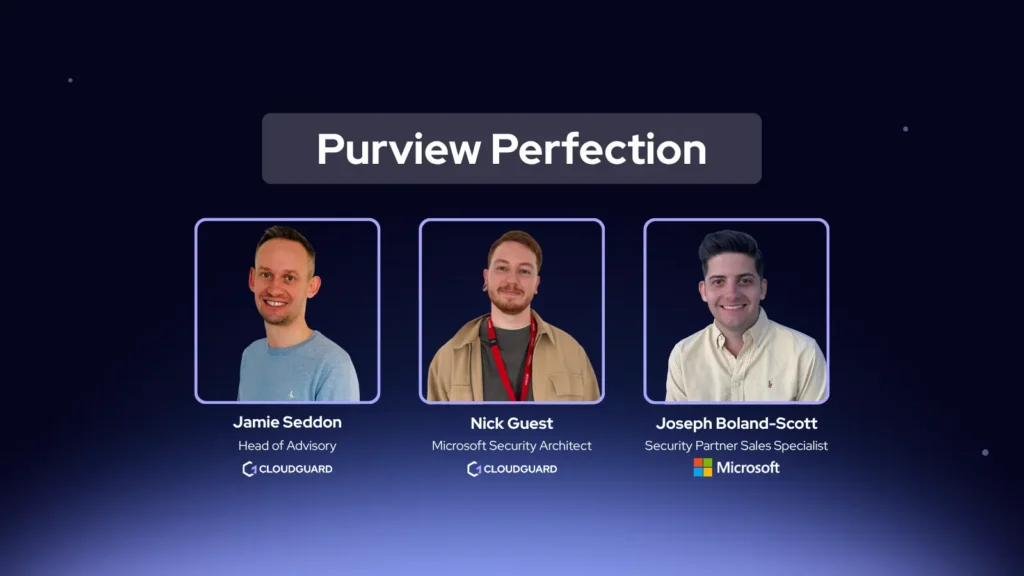
If you’d rather watch than read, our Purview licensing session is available on demand below. You can also sign up for our next live session on LinkedIn. Or if you already know you need a review of your environment, a Microsoft Purview Health Check can show where sensitive information is exposed, what your current licence provides and where an upgrade would add value.
* Prices are approximate list prices (GBP) and exclude VAT. Microsoft pricing changes periodically and varies by contract type. Verify current pricing with Microsoft or speak to a licensing specialist before making a decision.
Why Microsoft Purview licensing can be difficult to navigate
Purview isn’t a single product with a single price. It’s a suite of capabilities: Information Protection, Data Loss Prevention (DLP), Insider Risk Management, eDiscovery, audit, retention and AI governance. Access to each of those capabilities depends on which licence is assigned to each user. This matters more than people expect. A capability appearing in the Purview portal does not mean everyone in your organisation is licensed for it. You could have the portal switched on, a policy configured, and still be out of compliance with your licensing terms, or find that a feature isn’t actually active for the users who need it most. Organisations typically turn to Purview for three reasons: protecting intellectual property and commercially sensitive information, preventing accidental or deliberate data leakage, and setting guardrails for generative AI tools like Microsoft Copilot. The licence you need depends on which of those problems you’re actually trying to solve. One under-appreciated benefit of getting Purview right: if an attacker ever gains access to your SharePoint environment, properly configured sensitivity labels and DLP policies reduce the blast radius significantly. The attacker may be able to see that data exists, but they can’t meaningfully extract or exfiltrate sensitive files. Purview doesn’t just prevent insider risk; it limits the damage from external compromise too.What do Business Premium and E3 include?
Both Microsoft 365 Business Premium and E3 give you a genuinely useful starting point. You can begin classifying information, creating sensitivity labels and applying DLP policies across Microsoft 365 services (Exchange Online, SharePoint Online and OneDrive) straight away. Business Premium is designed for organisations with up to 300 users and pairs well with Purview and Defender add-ons as security needs grow. E3 is the natural baseline for larger organisations. Microsoft 365 Business Premium add-ons allow organisations to extend Purview and Defender while retaining their core plan. E3 with the Microsoft Purview Suite, previously called Microsoft 365 E5 Compliance, provides a more focused route to advanced capabilities for larger businesses. The key limitations at the base tier are around coverage. DLP focuses mainly on cloud workloads; Teams, endpoints and on-premise file shares may require more advanced licensing. Automated labelling isn’t available, and features like Insider Risk Management and Adaptive Protection sit above this tier. Neither of those gaps should stop you from getting started. In fact, the biggest mistake we see organisations make is jumping past this phase entirely, which we’ll come back to.What can E5 add to your Microsoft environment?
Microsoft 365 E5 includes advanced Purview capabilities as part of a broader enterprise plan, alongside advanced security, identity, endpoint protection, email security, collaboration and analytics. It’s worth saying clearly: if you only need advanced Purview, you don’t have to buy E5. Microsoft Purview Suite can be added to E3 separately. But if you’re also looking to strengthen across several of those other areas, E5 often represents better commercial value than stacking individual add-ons. In terms of Purview specifically, E5 or the Purview Suite adds:- Automated classification and sensitivity labelling: no longer dependent on users applying labels manually
- Advanced DLP across Microsoft 365 services, Teams and endpoints
- DLP and labelling coverage for on-premise file shares and supported data repositories
- Insider Risk Management for detecting accidental exposure and deliberate data theft
- Adaptive Protection: DLP policies that tighten or relax based on individual user risk
- Data Security Posture Management (DSPM) for AI: governance for Copilot and other AI tools
- Advanced audit, eDiscovery, records management and communication compliance
Insider Risk Management: what it looks like in practice
Insider risk isn’t always malicious, and Insider Risk Management is designed for both ends of the spectrum. An accidental example: a user accidentally shares a document labelled Confidential with an external third party. Purview detects the action and can alert administrators to investigate, or block it automatically depending on your policy configuration. A deliberate example: someone attempts to copy 200 confidential files to a personal OneDrive account before leaving the business. With the right policies in place, Purview detects the volume and sensitivity of the activity, blocks the transfer and generates an alert so your security team can act. Both scenarios happen more often than people expect. The accidental one happens constantly. The deliberate one is rarer, but the consequences when it does occur are usually serious.Data Security Posture Management for AI
This is increasingly important for any organisation with users who have access to generative AI tools. DSPM for AI governs how data is used with both browser-based chatbots (think ChatGPT, Claude, Gemini) and installed AI applications on managed devices. It builds on your existing Purview labels and DLP policies and sits alongside Microsoft Copilot governance to give teams practical guardrails as they increase their use of AI. A simple example: you configure a policy that prevents any user from pasting or uploading a document carrying a Confidential label into any AI tool governed through Purview. That policy applies whether the user is working in Microsoft Copilot, a browser-based chatbot or a supported third-party application. As teams increase their use of AI tools, this kind of guardrail is becoming less optional and more of a baseline expectation, particularly in regulated sectors.Adaptive Protection: security that responds to actual behaviour
Adaptive Protection creates a baseline for each user’s normal activity. Here’s a concrete example of how it works. Say a user typically sends around five emails a day with attachments carrying an Informational label. That’s their baseline. If their behaviour suddenly changes, with them sending ten emails a day with Confidential-labelled attachments, Purview recognises the deviation and automatically tightens the controls that apply to that user. It might display a warning, require a business justification or block the activity entirely. When behaviour returns to normal, the controls relax again. No manual intervention required from your IT team. The same logic can be applied to file activity on managed endpoints through Endpoint DLP, so it covers both email and device-level behaviour.Which Microsoft Purview licence route fits your organisation?
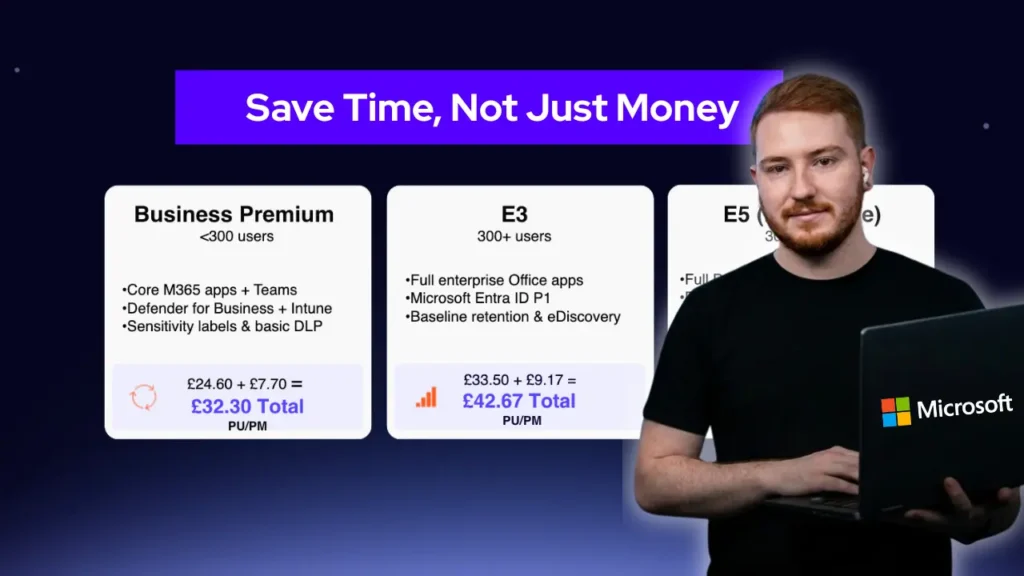
The right answer depends on your current plan, the specific controls you need and what else you want from the Microsoft 365 ecosystem. There are six main routes, ranging from your existing base licence through to the full E5 bundle. The table below gives an at-a-glance comparison. Pricing is indicative based on standard Microsoft list pricing and should be verified before purchasing, as Microsoft updates its pricing periodically.| Plan | Est. cost / user / month | Key Purview capabilities included | Best suited for |
|---|---|---|---|
| Microsoft 365 Business Premium | ~£18/user | Manual sensitivity labels, baseline DLP across M365 cloud workloads, basic audit | Organisations up to 300 users building initial data protection controls |
| Business Premium + Microsoft Purview add-on | ~£18 + ~£8/user | Adds automated labelling, advanced DLP, Insider Risk Management and communication compliance — without leaving Business Premium | Smaller organisations needing advanced compliance without moving to E3 |
| Microsoft 365 E3 | ~£28/user | Manual labels, baseline DLP across M365 cloud workloads, basic eDiscovery and audit | Larger organisations starting out, prior to compliance add-on |
| E3 + E3 Compliance add-on | ~£28 + ~£8/user | Targeted compliance capabilities — eDiscovery, audit, records management and information protection — without the full Purview Suite | Organisations with specific compliance or regulatory requirements |
| E3 + Microsoft Purview Suite | ~£28 + ~£12/user | Full advanced Purview: automated labelling, advanced DLP, Insider Risk Management, Adaptive Protection, DSPM for AI, advanced audit and eDiscovery | Organisations whose primary driver is advanced data security and compliance |
| Microsoft 365 E5 | ~£55/user | Everything in Purview Suite, plus advanced identity, endpoint security, threat analytics, email protection and collaboration tools | Organisations strengthening across the full Microsoft security stack |
Microsoft 365 Business Premium
A strong option for organisations with up to 300 users who want productivity, device management and security in a single plan. Baseline Purview capabilities are included, and add-ons can extend protection as needs grow without requiring a full licence change.Microsoft 365 Business Premium with Microsoft Purview add-on
For smaller organisations that need advanced compliance capabilities, the Microsoft Purview add-on extends Business Premium with automated labelling, Insider Risk Management and advanced DLP. It’s the route to advanced Purview without moving to E3 or E5, which makes commercial sense for organisations that don’t need the additional enterprise features those plans include.Microsoft 365 E3
The natural baseline for larger organisations. Baseline Purview capabilities are included, and the plan can be extended with targeted compliance add-ons or the full Purview Suite depending on requirements.Microsoft 365 E3 with E3 Compliance add-on
Where the requirement is specific, meeting a regulatory obligation, improving eDiscovery capability or adding records management, the E3 Compliance add-on can address targeted gaps without purchasing the full Purview Suite. Worth evaluating alongside the Purview Suite to understand which capabilities are actually required.Microsoft 365 E3 with Microsoft Purview Suite
The focused route if your primary driver is advanced data security and compliance across the board. You get the full advanced classification, DLP, Insider Risk Management, Adaptive Protection and AI governance capabilities without committing to the full E5 stack.Microsoft 365 E5
The right choice when Purview is one part of a wider Microsoft strategy. If you’re also looking at advanced identity, endpoint security, email protection and threat analytics, E5 can represent better value than adding those capabilities separately onto E3.Mixed licences by role
Some organisations benefit from licensing by role rather than giving everyone the same tier. One important note: each person within the scope of a Purview policy must hold the appropriate licence. If an Insider Risk Management policy covers 100 users, all 100 need qualifying licences; there is no sharing or partial coverage.The advice most people miss: start on your existing licence first
Spend the first three to six months maximising what Business Premium or E3 already gives you before paying for an add-on or moving to E5. This is the single most consistent piece of advice our Purview team gives, and the one most organisations wish they’d followed. Here’s why it matters. Purview depends on knowing which data is sensitive, where it lives, who owns it and how people actually use it. That groundwork takes time regardless of which licence you’re on. Organisations that buy the full suite upfront often spend months doing that foundational work while paying for advanced capabilities they’re not yet ready to use. Three to six months on Business Premium or E3 gives you time to define your label taxonomy, introduce baseline DLP policies, and run adoption work with your users, all before spending more. Upgrade when those capabilities have been genuinely maximised. You’ll also spend another three to six months configuring and tuning the advanced controls after an upgrade, so the timeline is real whether you start on E3 or jump straight to E5. Involving HR, finance, legal and operational teams early matters too. Labels and DLP policies affect how every department handles and shares information. The rules for what gets labelled Confidential, who can share it externally and under what circumstances can’t just be decided by IT. The business has to own those definitions.Three common Purview rollout mistakes
- Buying all licences upfront and treating the project as a technical exercise. Costs rise before the advanced capabilities are ready to provide value. The business ends up paying for months of E5 while the foundational work that was always needed plays out anyway.
- Assuming Purview is only an IT deployment. Sensitivity labels and DLP policies affect how every user in every department handles and shares information. If the business isn’t involved in defining those rules, you’ll either end up with rules that don’t reflect how people actually work, or you’ll have to switch the controls off again after go-live because they’re disrupting collaboration.
- Going live without user adoption work. People may not understand why a label has appeared on their document, or what a DLP warning means. Without clear communication before the controls switch on, you’ll generate a flood of helpdesk tickets, create frustration and potentially set back the whole programme.
A practical order for your Purview rollout
- Confirm which licences are assigned to your users and map who each proposed policy will cover.
- Identify your sensitive data: start with HR, financial, customer, intellectual property and personally identifiable information.
- Agree ownership with the departments that create and manage the information.
- Update your data-handling policies before go-live so the written guidance matches the technical controls.
- Communicate the change to users before controls switch on, explaining what labels and warnings mean and why they’re there.
- Pilot manual labels and baseline DLP policies with a small group before expanding.
- Add automated labelling, endpoint DLP, Insider Risk Management and AI controls in stages.
Why choose CloudGuard for your Microsoft Purview journey?
Purview deployments fail for predictable reasons: skipped steps, wrong sequencing, and governance decisions made without the right business context. We’ve seen it enough times that we’ve built a structured approach specifically designed to avoid those failure points. Our Purview team brings:- Combined 25+ years’ experience in cybersecurity, with more than 15 of those specifically in the Microsoft security stack
- Consultants who hold Microsoft Security Architect–level qualifications, not just deployment experience but architecture-level expertise
- Microsoft Solutions Partner status for Security, Data & AI and Azure
- CREST CCRTS certification and NCSC-Assured Service Provider status: accreditations that reflect genuine security depth, not just Microsoft familiarity
- ISO 9001 and ISO 27001 certification, plus Cyber Essentials Plus, meaning our own processes meet the same standards we help clients implement
What should you do next?
If you’re working through a Purview licensing decision right now, there are three useful next steps:- Watch the full session on demand: our Purview licensing walkthrough covers licence comparisons, common pitfalls and how to structure your rollout. Watch on YouTube.
- Join our next live session: ask questions directly to our Purview specialists. Register on LinkedIn.
- Book a Microsoft Purview Health Check: we’ll assess your current environment, identify where sensitive data is exposed, and give you a clear view of what your licence actually covers versus where an upgrade would add real value. Request a Health Check.