Microsoft Purview Licensing Explained: Business Premium vs E3 vs E5
If you’ve looked into Microsoft Purview and come away confused about which license you actually need, you’re not alone. It’s the single biggest blocker CloudGuard sees when SMBs and mid-sized organisations start a data governance project, not the technology, the licensing.
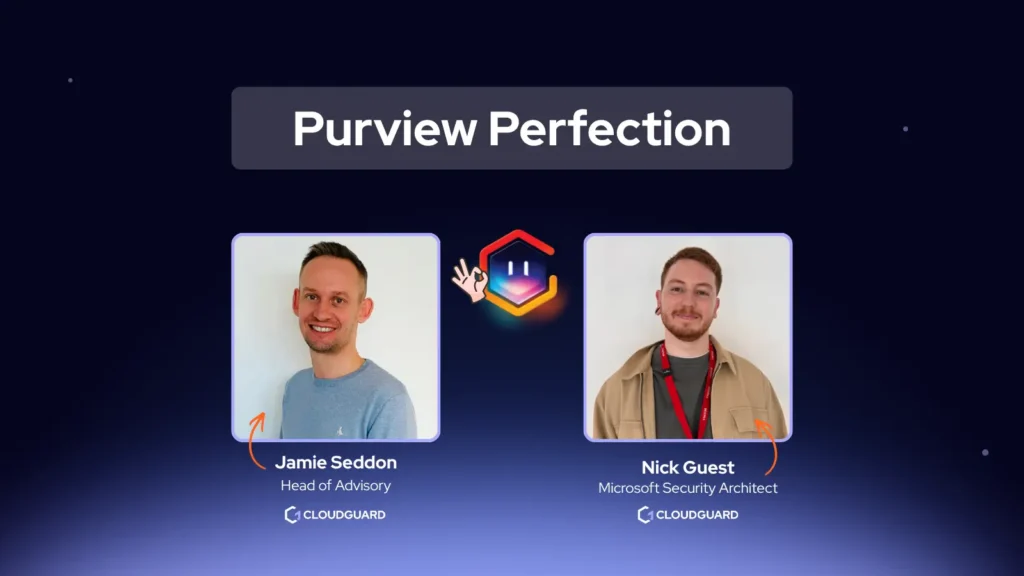
In Episode 1 of Purview Perfection, CloudGuard’s Head of Advisory Jamie and Senior Security Architect Nick sat down on LinkedIn Live to close that gap. Here’s what they covered.
Why Purview Matters for SMBs
Here are four reasons SMBs are actually looking at Purview right now:
- Protecting IP and commercially sensitive information from accidental or deliberate sharing
- AI governance: making sure generative AI tools aren’t accessing or training on sensitive data
- Compliance: putting data controls in place that support existing policy and make audits easier
- Reducing blast radius: if an attacker does get into your SharePoint, properly labelled and protected data limits what they can actually extract or share
Most security spend goes on keeping attackers out. Purview is about limiting the damage once someone’s already in, closing the Data Gap that perimeter tools were never built to cover.
You Don’t Need E5 for Full Purview Anymore
Historically, Business Premium and E3 customers who wanted the full Purview suite had to upgrade all the way to E5. That’s no longer true.
Microsoft now offers two add-ons:
- The E3 Compliance add-on
- The Business Premium Purview Suite add-on
Both do the same thing for their respective license tier: they unlock full access to the Purview suite without requiring a jump to E5.
What You Get at Each License Tier, and What It Costs
Business Premium (typically under 300 users): core M365 apps and Teams, Defender for Business and Intune, sensitivity labels and basic DLP.
- Base license: £24.60 per user/month (as of August 2026)
- Plus Purview Suite add-on: £7.70 per user/month (as of August 2026)
- Total: £32.30 per user/month for full Purview
E3 (300+ users): full enterprise Office apps, Microsoft Entra ID P1, baseline retention and eDiscovery.
- Base license: £33.50 per user/month
- Plus Compliance add-on: £9.17 per user/month
- Total: £42.67 per user/month for full Purview
E5 / Enterprise (300+ users): full Purview compliance suite included as standard, plus Defender for Office 365 P2, Power BI Pro, and Teams Phone.
- Total: £51.60 per user/month, no separate add-on needed (as of August 2026)
A Business Premium organisation can get the full Purview suite for £32.30 per user/month, roughly £19 less per user/month than going straight to E5, and without paying for E5 extras (Power BI Pro, Teams Phone) it may not need at all.
| License tier | Base cost (per user/month) | Add-on needed for full Purview | Add-on cost | Total for full Purview | Included as standard |
|---|---|---|---|---|---|
| Business Premium (<300 users) | £24.60 | Purview Suite add-on | £7.70 | £32.30 | Sensitivity labels, limited DLP (cloud only) |
| E3 (300+ users) | £33.50 | Compliance add-on | £9.17 | £42.67 | Sensitivity labels, limited DLP (cloud only), Entra ID P1, baseline retention/eDiscovery |
| E5 / Enterprise (300+ users) | £51.60 | Not needed, included | None | £51.60 | Full Purview suite, Defender for Office 365 P2, Power BI Pro, Teams Phone |
What “base” vs “full suite” actually means feature-wise:
Base Business Premium or E3, no add-on:
- Sensitivity labels: you can define labels and start rolling them out to users
- Limited Data Loss Prevention (DLP): policies apply only to cloud workloads, namely Exchange Online, SharePoint Online, and Teams
Full Purview Suite, via add-on or E5:
- DLP everywhere, not just cloud. Using the Purview scanner, you can extend labelling and DLP policies to on-premise file shares and databases, plus auto-labelling at scale
- Insider Risk Management: covering both data leaks (accidental sharing) and data theft (deliberate exfiltration, such as a user copying hundreds of files to a personal OneDrive), with adaptive protection policies that respond to changes in user behaviour across cloud and endpoint
- DSPM for AI: visibility and control over what generative AI tools can access
One detail that catches people out: Purview licensing doesn’t work like some Microsoft products, where one high-tier user unlocks features tenant-wide.
With Purview, every user you want in scope of a policy, Insider Risk Management, for example, needs the right license assigned individually. That per-user cost is exactly why the sequencing advice below matters: you’re paying per head, so timing when you add the license is a real lever on cost, not just a technicality.
Pricing shown is per user/month and may vary by region, currency, and Microsoft’s current price list at time of purchase. Confirm current rates before budgeting.
When Should You Actually Upgrade?
This is the part most licensing guides skip, and it’s the most useful piece of advice in the whole session: don’t upgrade on day one.
Purview isn’t a technical deployment in the way traditional security tooling is.
The hard part isn’t configuration itself, it’s knowing what data matters and where it lives, and getting your users comfortable with labelling it correctly.
That groundwork typically takes three to six months, and you can do all of it on your existing Business Premium or E3 license.
CloudGuard’s Advice
Spend that three to six months maximising what you’ve already got. Only add the upgrade or add-on once you’ve hit the ceiling of your current license and you’re ready for the next phase, such as rolling out Insider Risk Management, which needs its own round of training on sensitive information types.
Upgrade too early, and you’re paying for features your organisation isn’t ready to use yet.
Three Mistakes That Kill Purview Rollouts
Here’s three patterns CloudGuard sees repeatedly with customers who come to them after a failed first attempt:
- Treating it as a pure technical exercise.
Buying the license for everyone and switching everything on at once, without any user adoption plan. The result is employees can’t share or collaborate the way they used to, don’t understand the labels, IT gets flooded with complaints, and everything gets switched back off. Purview picks up a bad reputation internally that’s hard to shake. - Treating it as an IT-only project.
The real adoption work means bringing in every department, explaining the benefit to them directly, and involving them in defining labels and protection before anything goes live, not deploying it at them. - Buying all the licenses upfront and figuring out deployment later.
This creates a large spike in monthly licensing cost with no business benefit to show for it until deployment actually starts.
Three Steps to Get Started
If you’re at the beginning of a Purview project, our advice comes down to this, done in order:
- Find out exactly what license you’re on
Whether Business Premium, E3, or E5, and remember licensing needs to be applied per user for the features you want them in scope of. - Identify where your important data lives.
Start with your most sensitive data first, such as HR data, financial data, or anything with PII, since it’s usually the easiest to locate and the highest-risk if it leaks. - Roll out sensitivity labels manually before you touch auto-labelling.
Get users used to labelling their own documents first. Auto-labelling comes later.
Alongside all three: invest in user communications.
For most organisations, Purview changes how everyone handles data day to day, not just what IT can see. Treating that as a comms and change management exercise, not just a licensing and configuration one, is what separates the rollouts that stick from the ones that get switched back off.
Coming Up in Episode 2
Jamie and Nick will cover how to identify who in your business actually owns your data, and how to get the right people involved in defining it, without needing a CISO to do it (although it helps if you have one). Make sure you’re following CloudGuard on LinkedIn so you don’t miss out!
Need help rolling out Purview?
Know exactly what your data is exposed to, before a board, auditor, or customer asks you to prove it. CloudGuard’s Microsoft Purview Assess gives you a clear, expert-validated view of your Purview configuration and data protection posture, using non-intrusive, audit-only policies. No disruption to your environment.