Azure Sentinel is a SIEM (Security Information and Event Management) solution, designed to empower organisations with advanced threat detection and proactive security measures.
Infused with cutting-edge Machine Learning (ML) capabilities, Azure Sentinel stands out by offering robust, built-in analytics for the most common threats.
This article will guide you through understanding Azure Sentinel, its key features, and how it can transform your security operations.
What is Azure Sentinel?
Understanding the Basics
Azure Sentinel, one of the most sophisticated SIEM solutions available, uses advanced ML to provide deep analytics for threat detection and response.
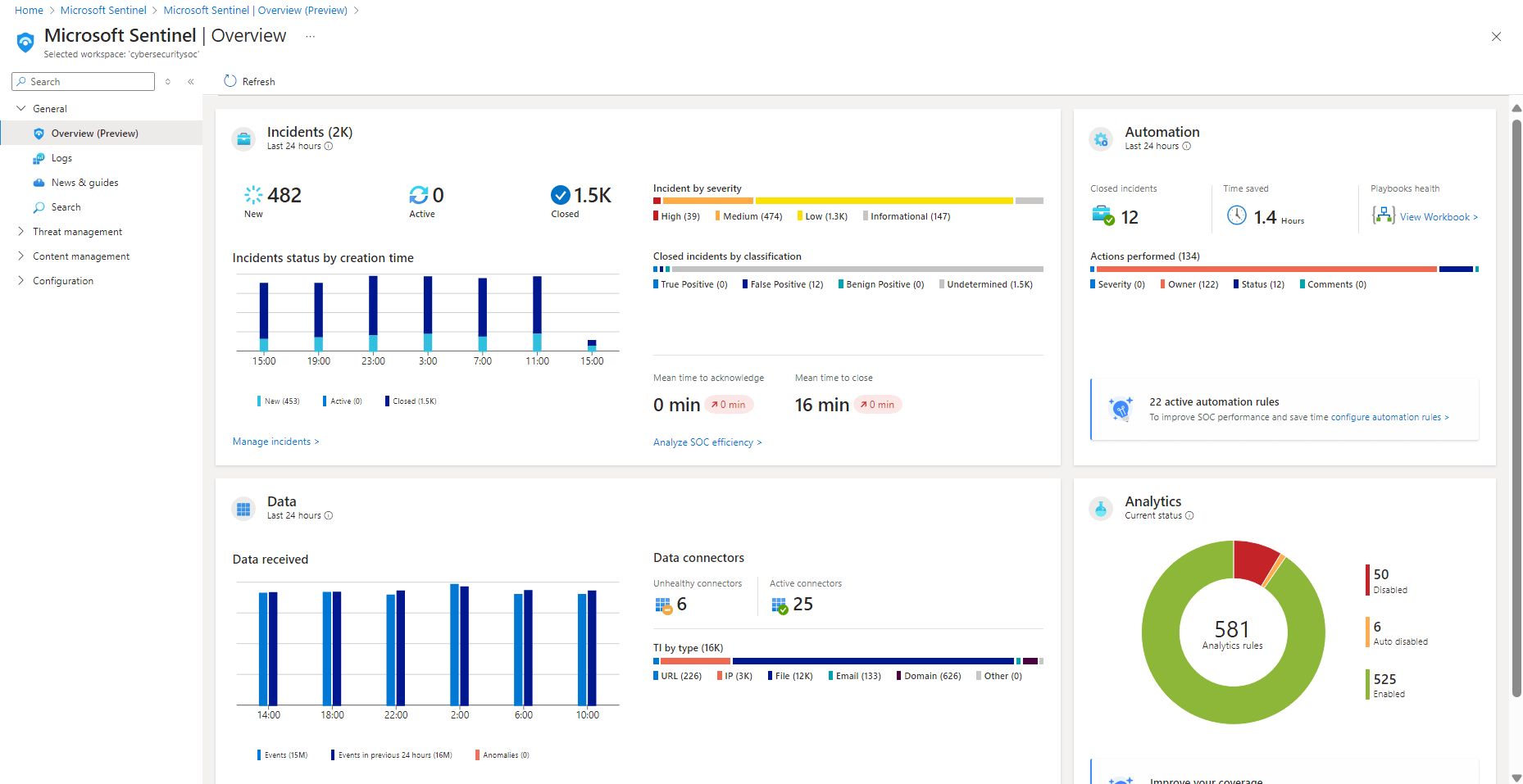
Note: It was announced at Microsoft Ignite 2021 that Azure Sentinel was being renamed to Microsoft Sentinel. Read this release by Microsoft’s Sonia Cuff.
Its capabilities extend to data experts within organisations, enabling the creation of custom machine learning models to address unique customer threats.
By using Azure Sentinel, you gain a nuanced understanding of threat behaviors, allowing you to focus on solving problems and enhancing customer security rather than merely identifying issues.
Key Features of Azure Sentinel
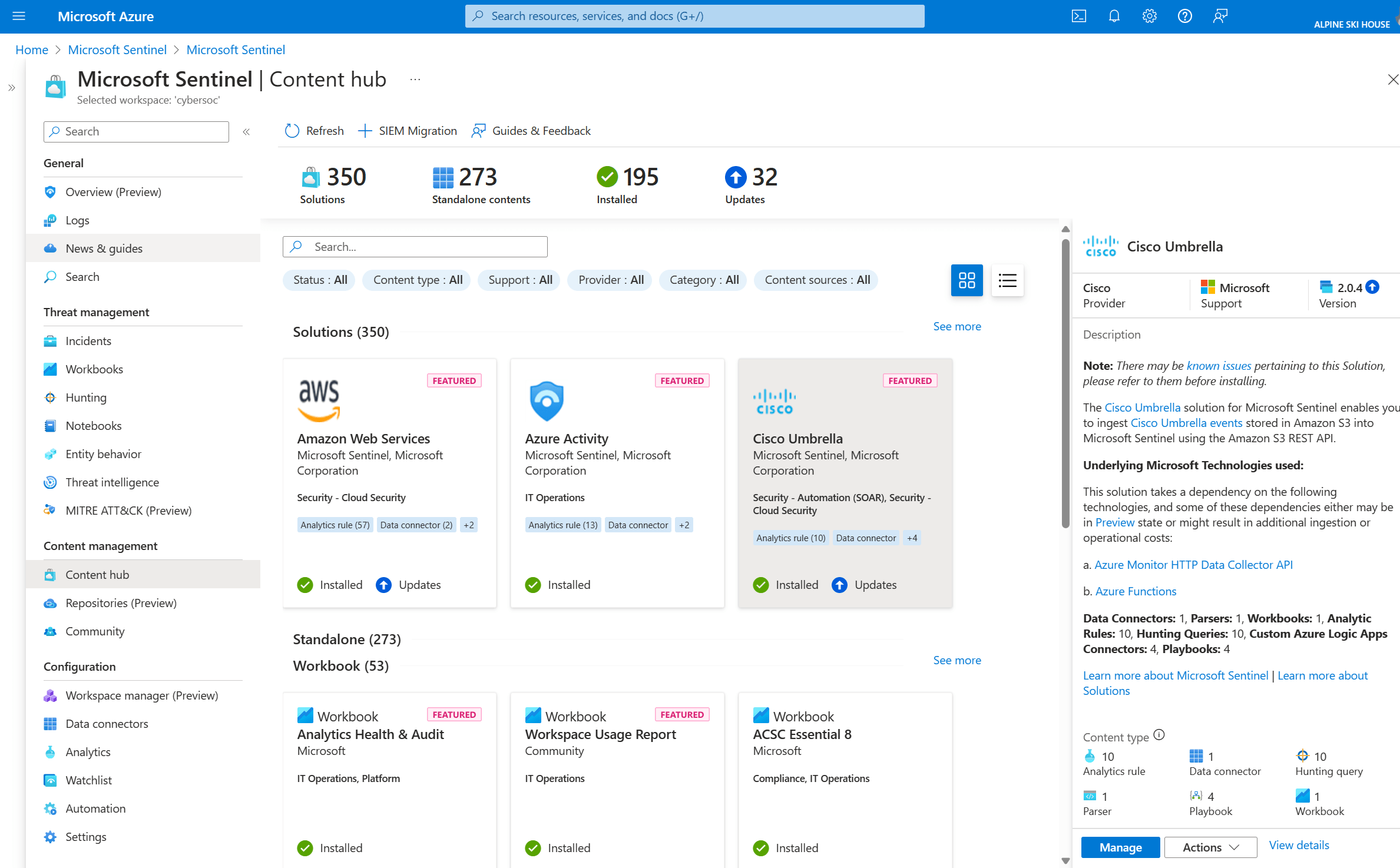
Azure Sentinel connects seamlessly with a variety of data sources across your enterprise. These sources include users, devices, datasets, applications, and information from multiple tenants and clouds. This is done via data connectors.
There are out-of-the-box connectors, which are pre-built by Azure and easily connect to common data sources like Office 365 and Azure Active Directory. Custom connectors allow you to connect to other data sources not covered by the pre-built options, letting you tailor the data collection to your specific needs. This ensures that all relevant data can be analysed by Azure Sentinel.
As a cloud-native solution, Azure Sentinel alleviates the burden on your security operations team by eliminating the need for infrastructure monitoring and maintenance.
Additionally, its cost-effectiveness sets it apart from other SIEM tools; you only pay for the data analyzed, with billing managed through the Azure Monitor Log Analytics workspace.
Azure Sentinel and AI: Enhancing Threat Detection
Leveraging AI for Real-Time Threat Assessment
Security analysts face immense pressure when sifting through countless alerts.
Azure Sentinel addresses this challenge by using scalable machine learning techniques to correlate millions of low-fidelity anomalies, presenting only the most critical high-fidelity threats.
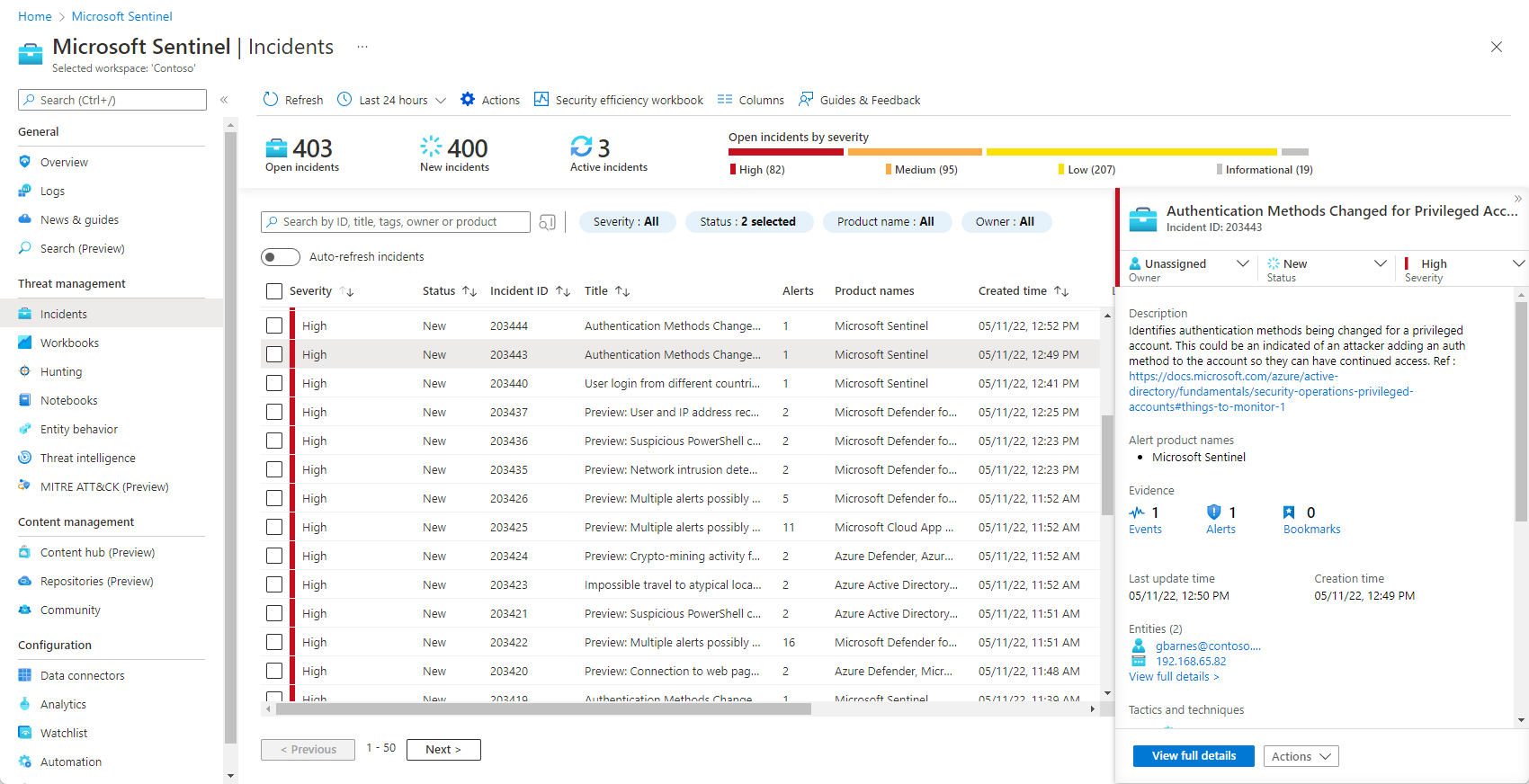
This approach allows you to extract valuable insights from extensive security data, quickly identifying threats such as a breached account used for ransomware deployment.
Investigating and Hunting Suspicious Activities
Azure Sentinel offers a graphical, AI-based investigation process that significantly reduces the time needed to understand the scope and impact of an attack.
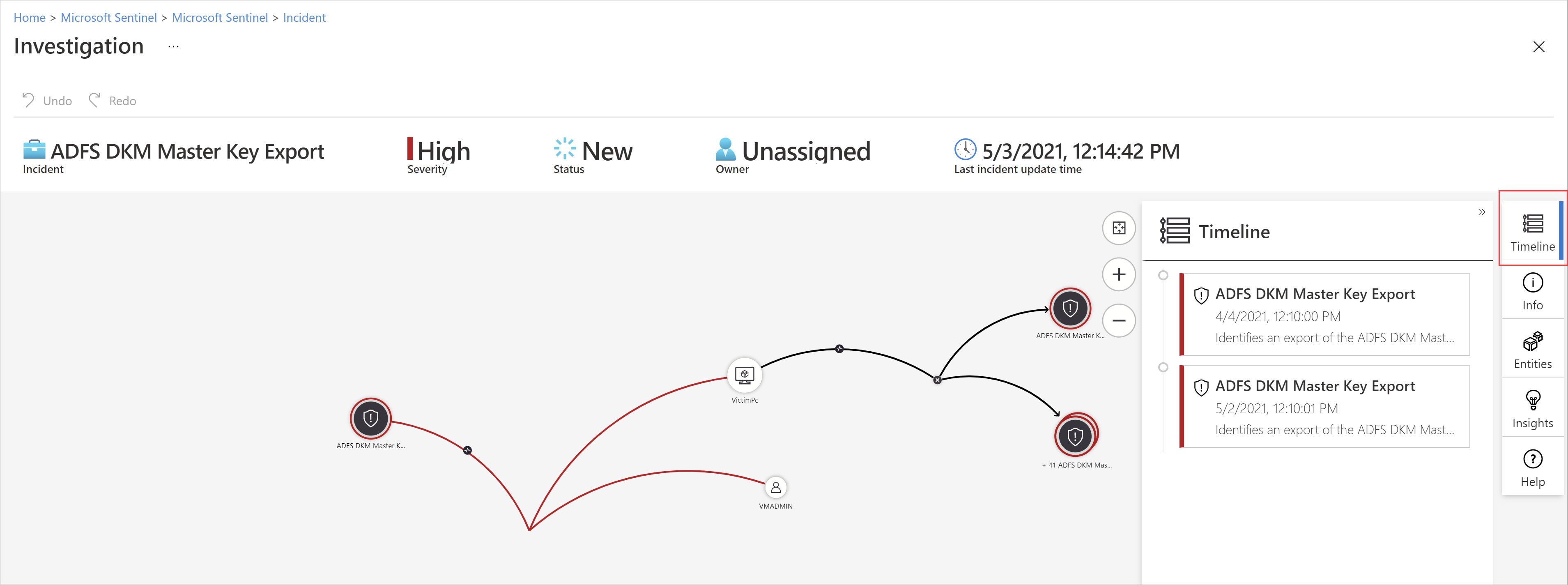
This unified dashboard enables you to visualise the attack and take appropriate actions swiftly. Proactive threat hunting is another crucial aspect, facilitated by Azure Sentinel’s hunting queries and Azure Notebooks.
These tools help you automate and optimise your security assessments, making your SecOps team more efficient.
Automating Threat Response
Automation is key to managing recurring threats efficiently.
Azure Sentinel includes built-in automation and orchestration features, allowing you to create predefined or custom playbooks to respond to threats promptly.
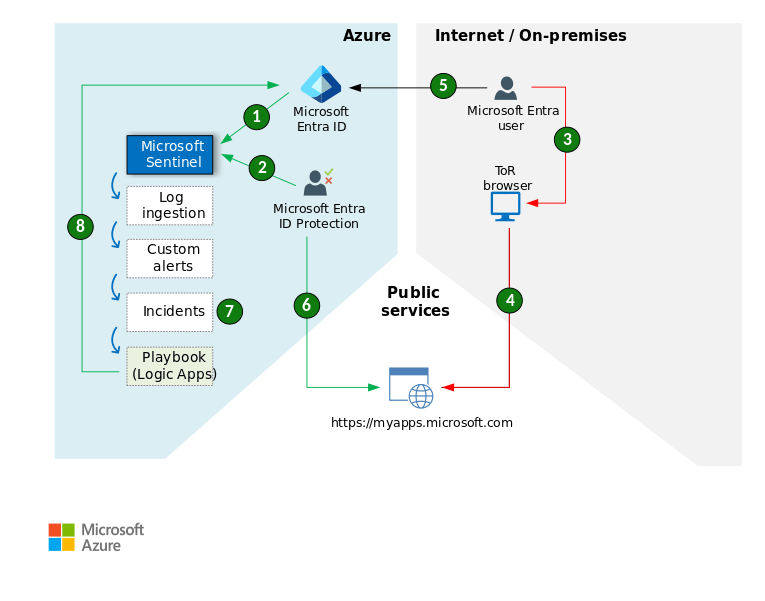
Automated response works by using pre-defined rules and playbooks to automatically take actions when specific security threats are detected.
For example, if an unusual login is detected, Azure Sentinel can automatically trigger a playbook that blocks the user’s account, sends an alert to the security team, and logs the event for further analysis. This helps in quickly addressing threats without manual intervention, saving time and improving security efficiency.
By automating mundane tasks, you can focus on more complex security challenges, ensuring a robust defense against persistent threats.
Deep Dive into Azure Sentinel’s Fusion Technology
What is Fusion Technology?
Azure Sentinel’s Fusion technology combines low- and medium-severity alerts from both Microsoft and third-party security products into high-severity incidents using machine learning.
This results in low-volume, high-fidelity, and high-severity incidents, designed to provide a clearer picture of your security landscape.
How Fusion Enhances Security Operations
Fusion technology enables Azure Sentinel to track multi-stage threats by identifying patterns of abnormal behavior and malicious transactions across different phases of an attack.
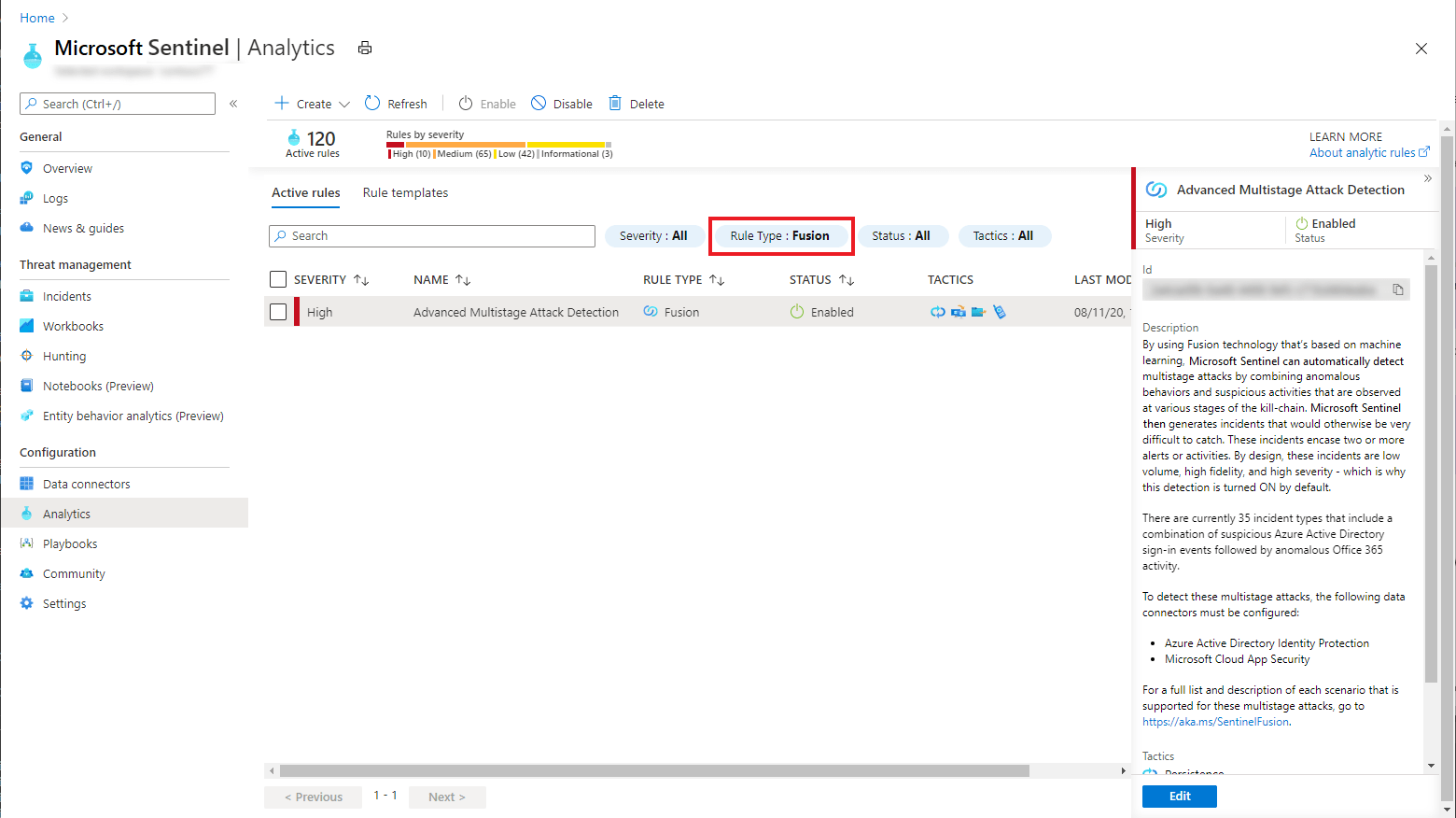
This detection method triggers incidents based on these patterns, making it easier to spot and respond to sophisticated threats.
By reducing false-positive rates, Fusion technology ensures that your security team can focus on genuine threats, improving overall security posture.
Practical Implementation: Using Azure Sentinel in Your Organisation
Setting Up Azure Sentinel
To get started with Azure Sentinel, you need to create an Azure account and set up a Log Analytics workspace.
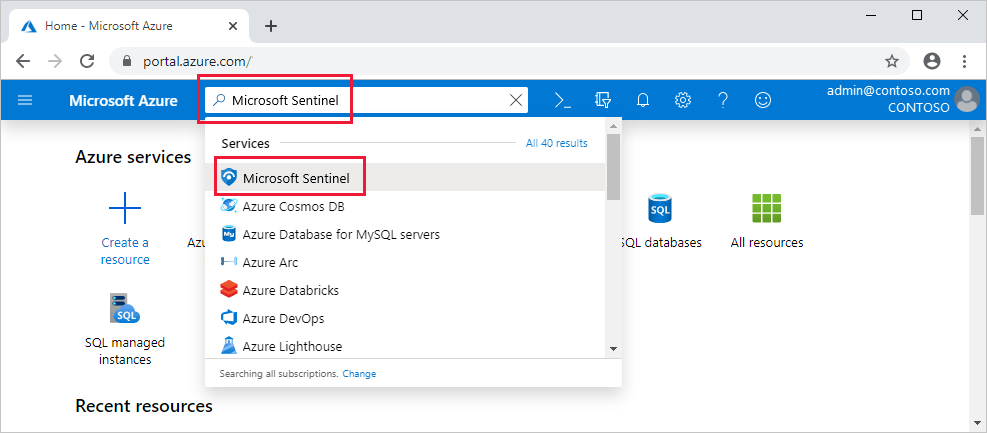
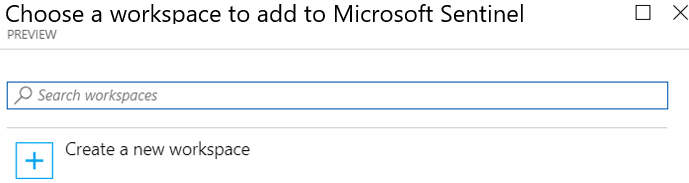
Once your workspace is ready, you can connect various data sources, including Azure services, on-premises systems, and third-party solutions. This is done via the Content Hub.
Azure Sentinel provides several connectors to facilitate this integration, ensuring comprehensive data coverage.
Customising Machine Learning Models
One of Azure Sentinel’s standout features is its ability to customise machine learning models to fit your specific needs.
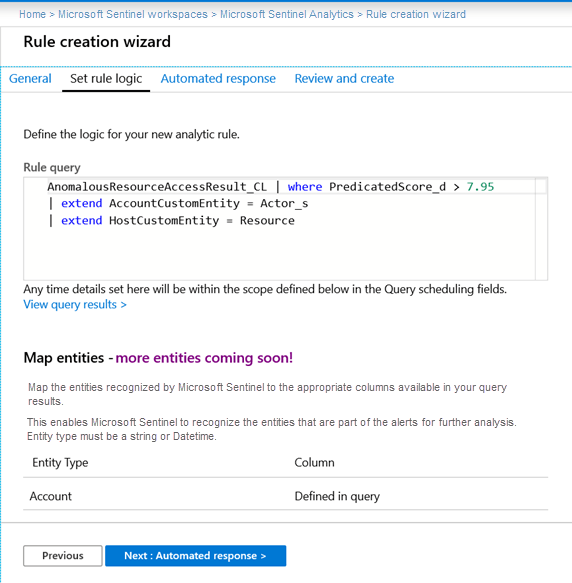
By leveraging the built-in ML capabilities, you can create models tailored to detect threats unique to your environment.
This customisation ensures that Azure Sentinel adapts to your security requirements, providing a personalised and effective defense mechanism.
Automating Response with Playbooks
Automation is crucial for efficient security operations.
Azure Sentinel allows you to create and implement playbooks that automate responses to specific threats. These playbooks can be predefined or custom-made, depending on your organisational needs.
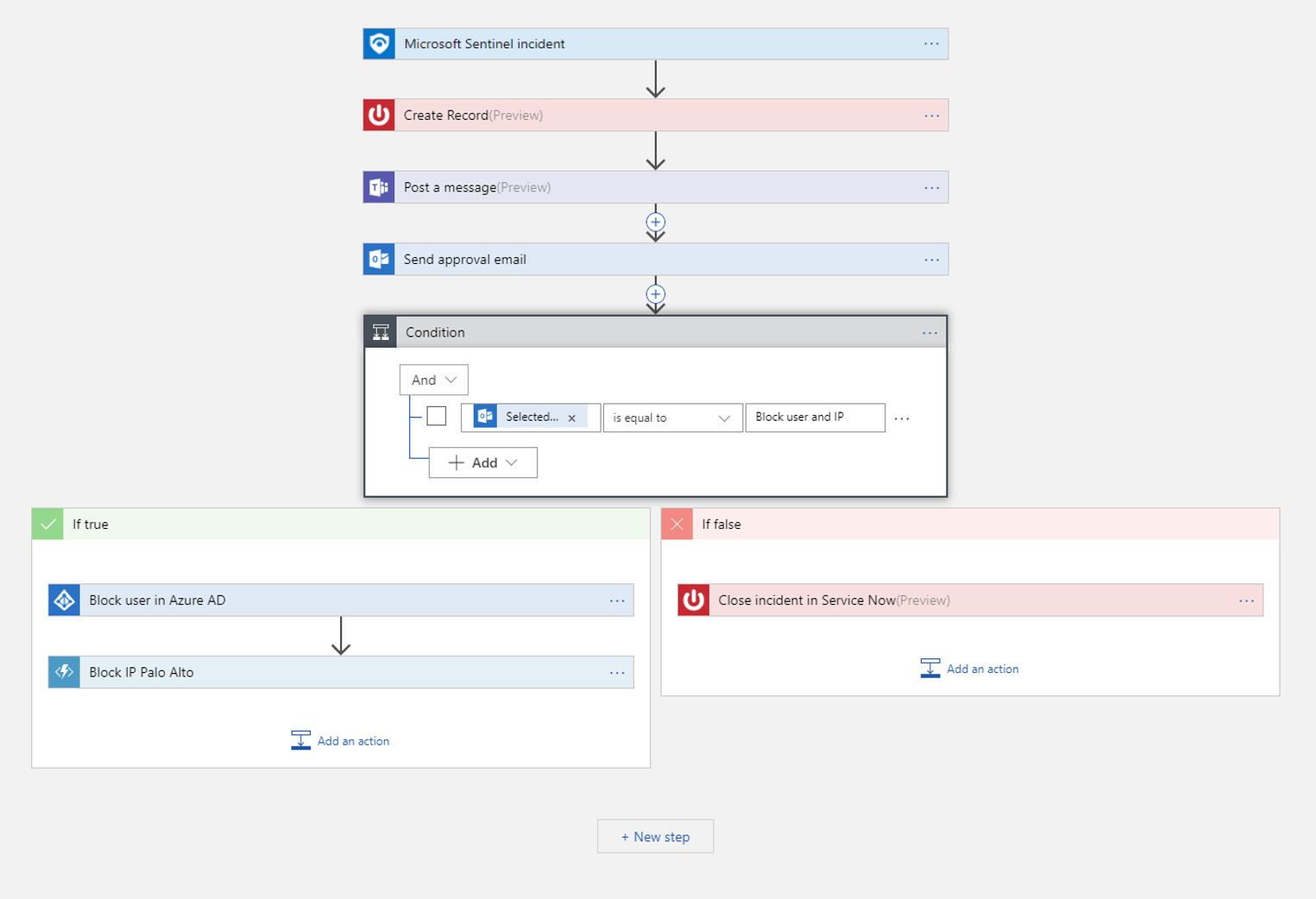
By automating routine tasks, you can ensure a swift and consistent response to incidents, minimizing the impact of security breaches.
Conclusion
Azure Sentinel is a powerful, cloud-native solution for detecting, investigating, and responding to security threats.
Its advanced machine learning capabilities and seamless integration with various data sources make it a comprehensive tool for modern security operations.
By implementing Azure Sentinel, you can improve your security posture, reduce the burden on your security team, and focus on proactive threat management.
Embrace Azure Sentinel to safeguard your organisation and stay ahead of emerging threats.