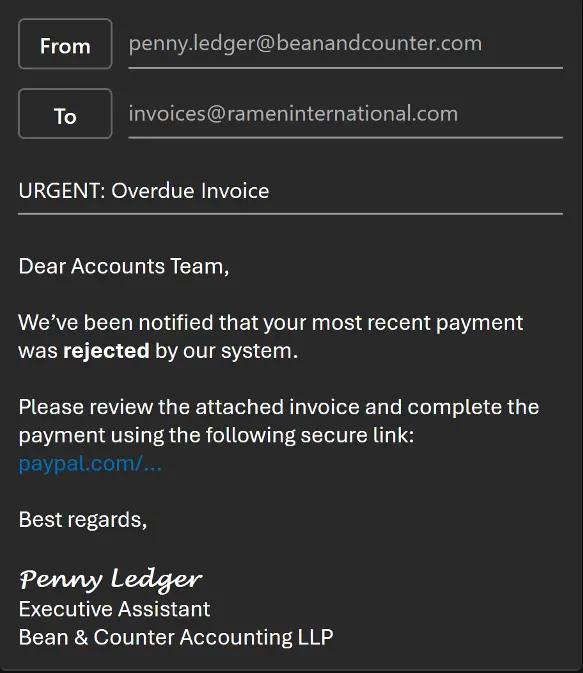
You’re working late, trying to get through your inbox. You receive an email from what looks like a trusted source, maybe your boss, maybe a vendor, and it asks you to click a link to log in to your company account.
You click it without thinking, and just like that, you’ve been compromised.
Account takeover happens more often than you think, and it’s not just an email that can get you into trouble.
Attackers have a whole playbook of steps they follow to steal your credentials and hijack your accounts.
Let’s break it down and see how these attacks unfold, and how CloudGuard AI stop them in their tracks.
What is Account Takeover?
Account takeover (ATO) is a tactic used by cybercriminals where they gain unauthorised access to a user’s account, often using stolen credentials or exploiting weak passwords. Once they’re in, attackers can do anything: from leaking sensitive data to sending phishing emails or even locking you out of your own account.
Step 1: The targeted research – picking the right victim
Account takeovers often start with research. Instead of sending random phishing emails, attackers will zero in on a specific company or person. They might start with social media profiles or company websites, looking for details that can help them build a profile.
They know that financial services, manufacturing or legal companies are prime targets. Why? Financial data and intellectual property are goldmines for cybercriminals.
Step 2: Finding the personal account
Once the attackers have the target’s details, they don’t go for the corporate account right away. Instead, they often target personal accounts, like Gmail, because these are less protected than your work accounts. They might find this info through a simple Google search or a LinkedIn profile.
From there, they’ll check if your personal email has been involved in any data breaches. If your credentials have been leaked before, they’ll try them on your work accounts. If your password is weak or reused, they might even guess it with a few variations (adding “123” at the end, for example).
Step 3: The breach – getting inside the account
Once the attackers crack the password, they’re in. That’s when the real damage starts. Depending on the account they’ve taken over, they might:
- Leak sensitive data (like customer information or intellectual property)
- Send phishing emails to colleagues and clients (business email compromise)
- Spread malware across the network
- Change login credentials to lock you out completely
If it’s a privileged account (like admin access), the damage is even worse. They can gain control of internal systems and spread across the company.
Step 4: How CloudGuard AI steps in
So, how do we stop this attack before it can wreak havoc?
- Detecting Brute Force & Password Spray Attacks
CloudGuard AI watches for unusual login activity. If an attacker tries several passwords in a short time (a brute force attack), our system flags it instantly. We don’t rely on just static lists, behavioural analytics help us detect deviations from normal login patterns. - Spotting Unfamiliar Logins
Attackers often use VPNs or proxies to hide their location. We can identify this and immediately flag any login attempt coming from an unfamiliar source, whether it’s a new IP address, strange device, or unexpected time. - Real-Time Alerts and Investigation
Once an unusual login is detected, we don’t just stop there. We immediately investigate the IP’s reputation using enterprise-grade threat intelligence platforms, looking at the history of the IP and how often it’s been linked to malicious activity. - Taking Action: Locking Down the Account
If the login attempt is suspicious, we disable the account, force a password reset, and revoke active sessions across all devices. This cuts the attacker off and protects the rest of the network. - Post-Incident Analysis
If the attack was successful, we dig deeper. We review the activities of the compromised account: Did they send phishing emails? Download sensitive documents? We clean up the mess before the attacker can do real damage.
Why this attack matters (And why you should care)
Account takeovers are a growing threat, and they’re not just limited to big companies. Cybercriminals target SMEs, too. And if they’re only relying on traditional antivirus software, they’re leaving themselves wide open to these kinds of attacks.
But with CloudGuard’s 24/7 protection, we can catch these threats before they escalate. Whether it’s through behavioural analysis, anomaly detection, or real-time threat intelligence, we’re ready to stop account takeovers in their tracks.

Other real-world examples of account takeover attacks
These attacks are happening right now. Here’s a recent incident:
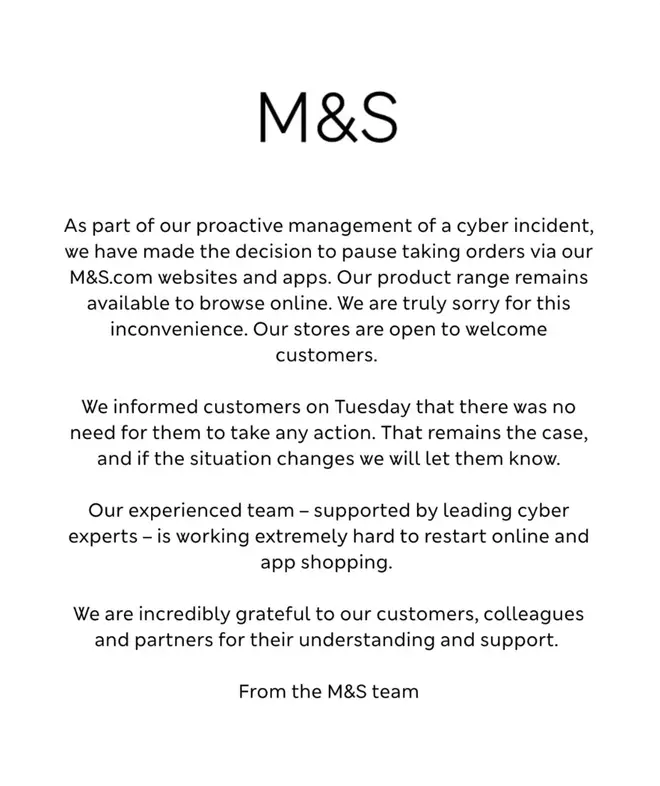
- May 2025 – Retail giant Marks & Spencer fell victim to a cyberattack after threat actors used social engineering to impersonate employees and trick the IT help desk into resetting internal account passwords. This account takeover enabled access to the company’s Active Directory and led to the deployment of ransomware, disrupting operations and exposing customer data. (Source: The Times)
How to protect your accounts
To prevent account takeover, follow these steps:
- Enforce Strong Password Policies: Require employees to use long, complex, unique passwords for every account.
- Enable Multi-Factor Authentication (MFA): MFA adds an extra layer of security, even if the password is compromised. However, not all MFA is created equal, and can be bypassed, so keep this in mind.
- Monitor for Unusual Login Activity: Watch for unusual locations, IP addresses, or devices attempting to log in to your accounts.
- Deploy Advanced Threat Protection: Traditional antivirus won’t cut it. You need a solution that looks for behavioural anomalies and patterns of suspicious activity.
But most importantly, you need a security team that can catch and respond to these attacks quickly, before they get out of hand. If you’d like no obligation, confidential consultation with one of our experts, contact us here and we’ll be in touch.