Why Microsoft Business Premium Is the Security Baseline
A good number of CloudGuard’s customers operate with Microsoft Business Premium M365 licensing. In fact, approximately half of all M365 customers do.
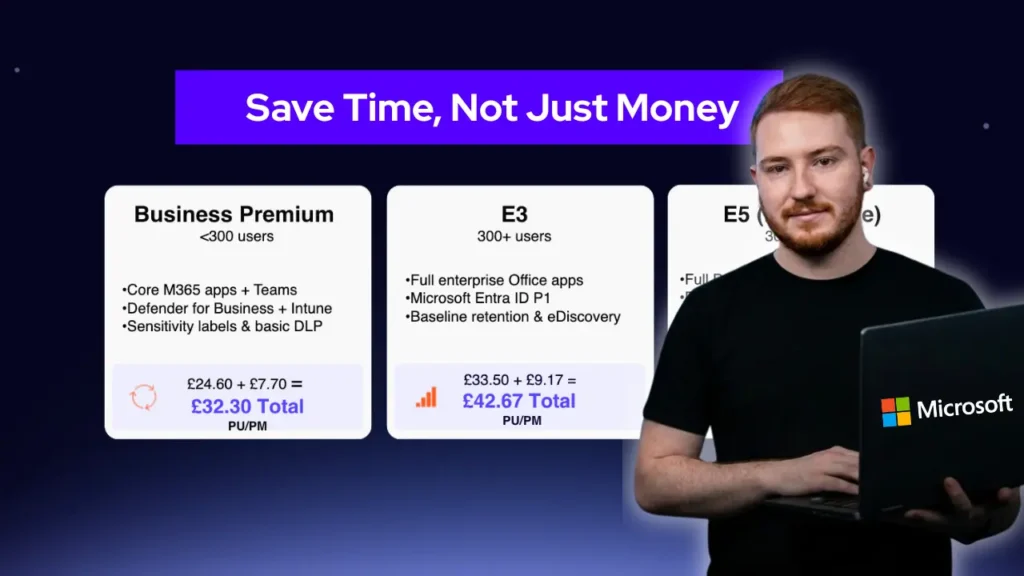
Microsoft has recently announced new options for Microsoft Business Premium M365 licenses with the ability to add the Microsoft Defender Suite and/or the Purview Suite for an additional monthly uplift in cost. We broke down these costs in a previous article. Find out about Microsoft Purview Licences.
In this, I want to focus on the addition of the Microsoft Defender Suite for M365 Business Premium. So, this increased cost, what does it enable and what benefits do you gain?
Microsoft Defender Suite Add-On Cost
Microsoft M365 Defender Suite add-on is currently $10 per user per month (Sept 2025, or at current exchange rates as of Sept 2025 – £7.40 per user per month).
So what does this actually add to M365 Business Premium? The table below highlights the additions most clearly, followed by an outline of the benefits of each. It’s important to make sure that licensing is applied across the whole tenant so that every user is protected.
Defender Suite add-on enhances a number of security components to Microsoft’s Plan 2 security features.
Plan 2 includes capabilities to protect all users in a tenant for:
- Exchange Online
- Safe attachments and links
- M365 Apps: Teams, Sharepoint and OneDrive
ALL users MUST be licensed to Plan 2 to utilise these benefits. You cannot partially license some users in a Business Premium tenant with Defender Suite.
Why Upgrade? Microsoft Defender Suite vs. Business Premium
Defender for Office 365 Plan 2 features also provides:
- Threat trackers
- Campaign views
- Automated investigation and response
- Attack simulation training
- Most importantly, integration with Microsoft Defender XDR (which is embedded into Microsoft Business Premium).
Time to explain how these features can enhance security for your business.
Key Security Upgrades with Microsoft Defender Suite
Security Component: ENTRA ID Plan 2
This upgrade provides more advanced security and governance features in already present Microsoft Business Premium ENTRA ID Protection and Governance components.
Features
Within ENTRA ID Protection, there is risk-based conditional access. This enhances the real time detection and prevention capabilities associated with Identity attacks which can be automated using Microsoft Defender XDR.
The enhancements also support correlation to behavioural analytics and signals from user risk and sign-in risk attributes. These are some of the most important attributes to track impersonation and compromised credential related attacks.
A further benefit is the extended ability to detect, investigate and remediate identity-based attacks using machine learning and anomaly detection capabilities.
Benefits
This enables a business adding Defender Suite to Business Premium to configure and identify suspicious user sign-in attempts and activities.
With the rise in password-spray attacks and the use of leaked credentials to gain unauthorised access to accounts and systems, these capabilities have become critical for effective cybersecurity monitoring.
Security Component: ENTRA ID Governance Enhanced Capabilities
Plan 2 provides workflow and process automations. The volumes of user sing-in logs even in a smaller organisation can easily overwhelm IT admins with basic analytical rule analysis.
Benefits
Automation provides a more consistent, constant, 24x7x365 capability to detection anomalies. Recent attack focus has concentrated on starter and leaver accounts, which may not be in genuine active use.
A follow on automated malicious attack focus has been targeting starters with senior requests from domain spoofed email accounts. With the enhanced ID Governance capabilities, companies can enable new workflows to both automate user onboarding, so an account is only activated as a user commences, but also additional analytical rules and detections against these noted new vectors.
Security Component: Microsoft Defender for Identity (DFI)
This implements dedicated sensors and connectors for ENTRA (Active Directory) identity elements.
Benefits
This can be used, through Defender XDR and additional automations, to add threat intelligence enrichment, correlate to other security event sources and other ENTRA environments for enhanced identity incident-level visibility.
User and entity behavioural monitoring for suspicious activities such as unusual login patterns, privilege escalation attempts and credential theft are key features this enables and why this is increasingly important.
Security Component: Microsoft Defender for Endpoint
Plan 2 is a significantly enhanced EDR solution which is superior to Microsoft Defender for Business included in Business Premium.
Benefits
Defender for Endpoint Plan 2 includes anti-malware capabilities and detections, attack surface reduction (ASR) rules, device and asset based conditional access capabilities as well as advanced threat hunting and custom detection rules. All of this is tracked, as with all Defender security solutions, in Microsoft Secure Score.
This improves behavioural analytic integration for advanced persistent threats (APT’s). You can configure some of these with custom analytics. These most important rules include golden ticket, pass-the-hash and pass-the-ticket attacks. These are really important metrics for your cyber insurer to track and protect.
Security Components: Microsoft Defender for Office 365
Plan 2 provides advanced user capabilities which are becoming increasingly important. These capabilities include:
- Cyber-attack simulations – this improves user engagement and supports real world tailored user training such as spear phishing and malware infused attachments. We all know user engagement is crucial to maximising effectiveness and heightened awareness.
- Automated incident investigation and response capabilities including safe links and attachments. Many companies end up using 3rd party tools which, whilst an option, often dilute visibility of issues and automated resolution. Here – it is an integrated platform and workflow.
- Whilst safe links and attachments security protection is included within Business Premium, BUT these automation capabilities accelerate detection, investigation, response and risk reduction. Even for a smaller business with 1,000’s of emails per day, this has to be a largely automated processes to minimise the workload on already stretched IT resources.
Benefits
In addition to advanced machine learning–driven anti-phishing policies and business email compromise protection, Plan 2 delivers automated investigation and response (AIR) rules, email entity pages, and dynamic delivery. It also enhances investigation and forensics with proactive threat hunting, advanced security event tracking, and DLP policies to prevent data exfiltration.
Closing thoughts
Unification and integration are the core benefits from Defender Suite. It enables cross domain correlations including email, endpoints, servers, identity and Cloud apps. These correlations as well as lateral movement to data exfiltration are fundamental to faster attack detection with response.
It achieves this with fewer security tools, better integrations and playbook automations. All of this is fundamental to continual security KPI improvements. Security software reductions will result in savings which can support the investment in Defender Suite.
In my next article, I will deep dive into Defender Suite for Purview (watch this space).