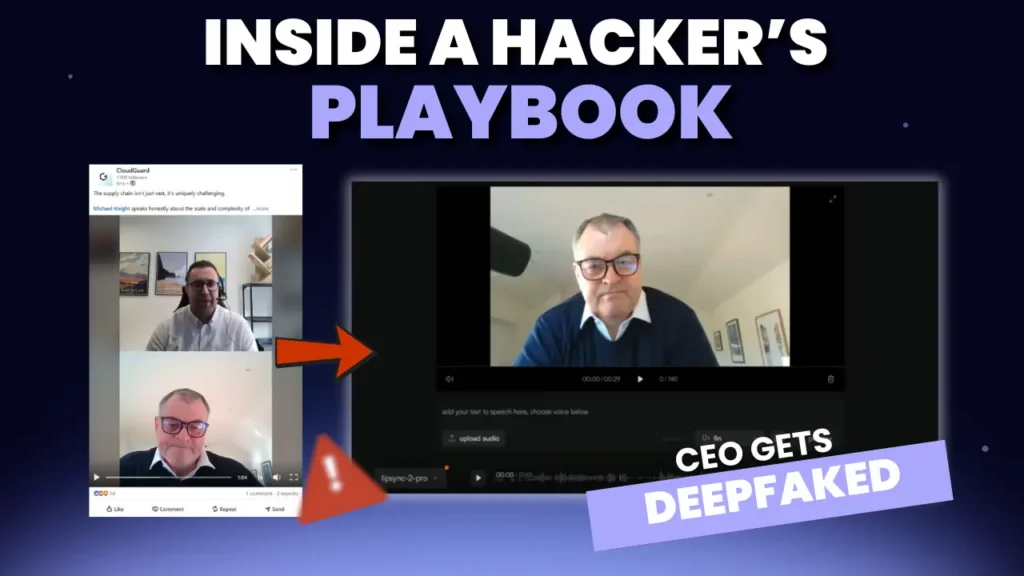
96% of deepfakes online are used maliciously. They’re being used to impersonate CEOs, pressure employees into urgent actions and manipulate financial transactions, all with AI-generated videos or voice notes that feel shockingly real.
In our recent CloudGuard webinar “The Art of Deception: Fight Back Against the Fakes,” our analysts broke down the exact visual and audio cues that give deepfakes away. While attackers are getting faster and more sophisticated, the technology still struggles with certain human subtleties.
This guide explains the most reliable signs of a deepfake, based directly on the examples we demonstrated during the session.
Prefer a quick visual walkthrough?
We’ve created a step-by-step interactive demo that shows some of the most common visual signs of a deepfake.
It’s a fast way to understand what to look for, but it doesn’t cover every sign or the deeper audio and behavioural cues explained below. For the full picture, we recommend reading the complete guide.
👉 Share it with colleagues as a quick awareness resource: https://app.storylane.io/share/qas6epugt1ul
1. Teeth that change shape or look “too perfect”
Teeth are one of the hardest facial features for AI to replicate.
Watch out for:
- Teeth morphing during speech
- Sharp or inconsistent edges
- Teeth that look unnaturally aligned or glossy
In the webinar’s deepfake of our CEO, the teeth subtly changed shape mid-sentence, a clear giveaway.
2. Unnatural blinking or eye flickering
Humans don’t blink at regular intervals, AI often does.
Red flags include:
-
Rapid or mechanical blinking
-
Long periods without blinking
-
Eyes that don’t track naturally
-
Flickering behind glasses
Even through eyewear, the deepfake we showcased had eye movements that simply “felt off.”
3. Facial marks that appear or disappear
Moles, freckles, shadows and facial lines should stay consistent.
Deepfake models often struggle with:
-
Marks vanishing frame to frame
-
New marks appearing randomly
-
Shifting shadows that don’t match lighting
In our example, a beauty mark popped in and out across the video, something no real face does.
4. Lip movements that don’t sync perfectly
Lip-syncing is still one of the biggest technical challenges for deepfake models.
Look out for:
-
Lip edges that flicker or blur
-
Mismatched timing between audio and movement
-
Corners of the mouth that warp during speech
The deepfake of Matt showed subtle lip-edge distortion that betrayed the generated footage.
5. Clothing or hair that warps
Attackers focus on the face, the AI struggles with everything else in frame.
Signs include:
-
Buttons that disappear
-
Collars that bend unnaturally
-
Clothing merging with skin
-
Hair that blurs into the background
In the webinar demo, a shirt button simply vanished from one frame to the next.
6. A “filter-like” smoothness over the face
Deepfakes often look like a beauty filter has been applied:
-
Skin appears flat or overly smooth
-
Fine details (pores, wrinkles, texture) are missing
-
Lighting looks too even
The entire deepfake in our demo had a subtle blur overlay, which at first glance, can be very difficult to spot.
7. Audio pauses or rhythm that doesn’t match the speaker
Deepfake audio can be highly convincing, but speech cadence often gives it away.
Watch out for:
-
Pauses in unnatural places
-
Rhythms that don’t match how the person normally speaks
-
Odd “emphasis” on random words
Our analysts highlighted that the deepfake inserted pauses in a way that completely changed the tone, something anyone who knows the speaker would find suspicious.
8. Hollow, tinny or overly “polished” audio
Beyond speech patterns, sound quality itself can be a giveaway:
-
Lack of background noise
-
Robotic undertones
-
Reverb or echo that doesn’t match the environment
Even professional-grade deepfakes struggle to replicate the imperfections of real audio.
9. Inability to handle unexpected questions
A powerful real-world technique: Ask something off-topic.
AI can’t improvise naturally, especially in real time. In the webinar, we showed an example of an unscripted question which was injected (“What’s your favourite chocolate?”).
As you can see, Mena is confused as to why the question is being asked, If it was deepfake, it wouldn’t have responded convincingly.
Humans show confusion, expression, hesitation, deepfakes don’t.
10. “Gut feeling” when something just feels off
This was one of the most common reactions in our live session. Your intuition matters.
Even if you can’t articulate why:
-
The tone feels wrong
-
The behaviour seems out of character
-
The message feels too urgent or unusual
Trust your instinct and verify.
Deepfakes are getting better, but so are detection techniques
As we demonstrated during the webinar, AI detection tools can analyse micro-patterns imperceptible to humans, although their accuracy varies depending on model sophistication. Some tools flagged our sample audio immediately as fake, others misclassified it entirely.
Because of this inconsistency, organisations need:
✔ Human awareness
✔ Technology-backed detection
✔ Verification processes
✔ A zero-trust communication culture
Deepfake attacks are growing, but they are not unstoppable.
Want to train your team to spot deepfakes?
CloudGuard runs live deepfake simulations to help businesses detect impersonation attempts before they become costly incidents.
👉 Book a tabletop exercise with our experts where we can do a deepfake simulation for your organisation. Would your team pass the test?