Microsoft has introduced a game-changing innovation that promises to redefine the way businesses operate. Microsoft Copilot, an AI-powered tool integrated into the Microsoft 365 suite, has the potential to revolutionise productivity, streamline tasks, and enhance collaboration. As IT and business leaders, it’s essential to grasp both the advantages and potential drawbacks of this new tech. Here, I’ll delve into the intricacies of Microsoft Copilot, offering a balanced overview to help you make informed decisions.
Article quick links
- What is Microsoft Copilot?
- Six Critical Things to Know About Microsoft Copilot
- Pricing and future outlook
What is Microsoft Copilot?
Imagine an AI assistant that can generate documents, analyse data, summarise meetings, and even draft emails—all at your command. That’s the essence of Microsoft Copilot. Launched in March 2023, Copilot is designed to assist users across various Microsoft applications, such as Word, Excel, PowerPoint, Outlook, and Teams. By harnessing the power of AI and natural language processing, Copilot aims to enhance efficiency, creativity, and collaboration within the workplace.
Six Critical Things to Know About Microsoft Copilot
Now you have an understanding of what Microsoft Copilot. Here’s 6 things you must know before it becomes part of your business.
1. Limited availability and rollout strategy
Microsoft Copilot’s introduction has been carefully managed. Therefore, access is initially granted to select large enterprise clients. The goal of this phased rollout is to gather valuable user feedback, address potential issues, and refine the technology before broader availability. As of now, an “invited” list of around 600 customers has access, and a general release is anticipated in the near future, likely by early 2024. This cautious approach reflects Microsoft’s commitment to delivering a polished and effective tool that aligns with user needs and expectations.
2. The evolution from ChatGPT to Microsoft Copilot
Microsoft Copilot is built upon the foundation of ChatGPT, the AI language model developed by OpenAI. However, Copilot goes beyond mere text generation and understanding. It’s a multifaceted AI tool that leverages deep learning and natural language processing to assist users in various tasks. From generating code snippets to composing emails, creating presentations, and analysing data, Copilot’s capabilities are a significant advancement over its predecessors. Its integration into Microsoft 365 applications makes it a versatile and indispensable tool for enhancing productivity and creativity.
3. Seamless integration into Microsoft 365 Suite
One of the most compelling aspects of Microsoft Copilot is its seamless integration into the Microsoft 365 suite. Users will find Copilot’s functionalities embedded within the interfaces of applications like Word, Excel, PowerPoint, Outlook, and Teams. This integration ensures that Copilot’s assistance is available across different tasks and contexts. Whether you’re crafting a document, analysing data, or collaborating with team members, Copilot aims to provide relevant and context-aware suggestions, enhancing the overall user experience.
4. Empowering user productivity across applications
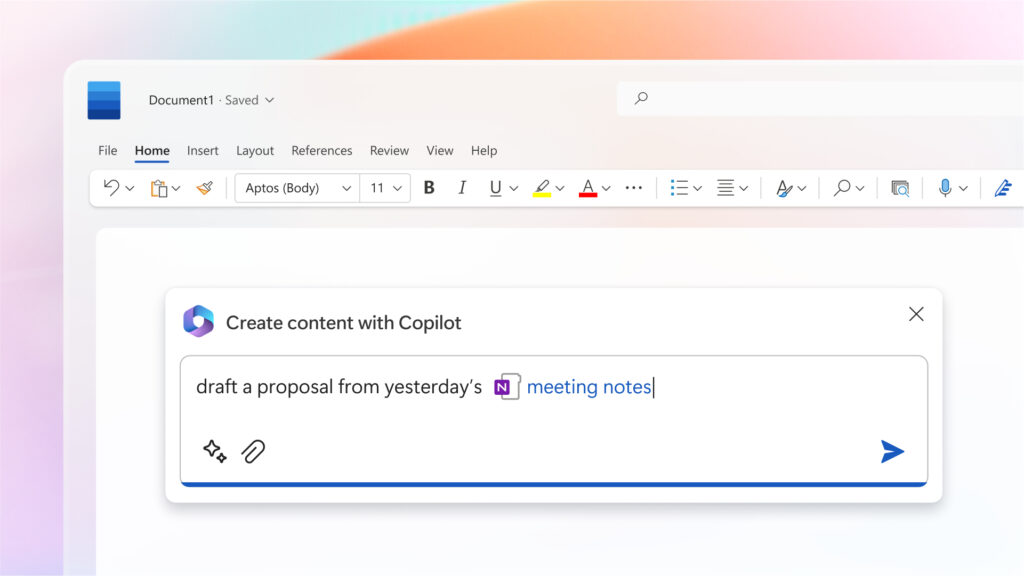
Microsoft Copilot’s potential to enhance user productivity is substantial. For instance, within Word, Copilot can leverage information from OneNote to generate comprehensive proposals tailored to specific needs. It can even suggest visual elements that align with past documents, streamlining the creation of visually appealing content. In Excel, Copilot shines in simplifying complex data analysis tasks. It can help identify trends, generate graphs, and perform intricate calculations, enabling users to extract insights from data more efficiently. By automating repetitive and time-consuming tasks, Copilot allows users to allocate their time and skills to more strategic activities.
5. Balancing suggestions with human judgment
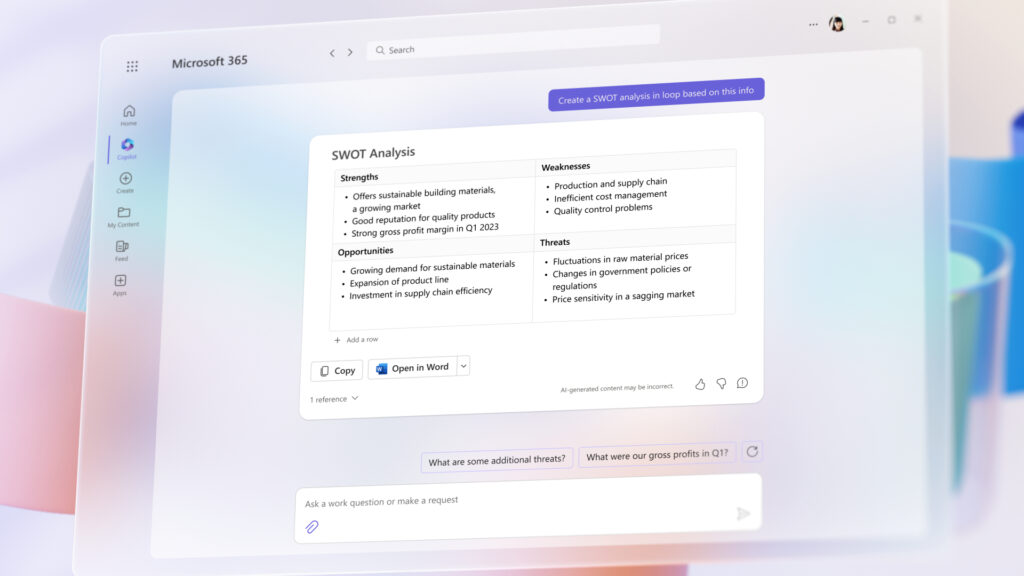
While Microsoft Copilot’s suggestions are valuable, they’re not perfect. Users must use their judgment to determine the relevance and accuracy of Copilot’s recommendations. This is especially crucial for tasks that involve subjective decisions, creative content, or nuanced context. Copilot’s assistance serves as a valuable resource that can accelerate processes and spark creativity. However, the final responsibility for content quality and accuracy ultimately rests with the user. Striking the right balance between leveraging AI capabilities and applying human expertise will be essential for maximising the benefits of Copilot.
6. Data quality, privacy, and security considerations
Microsoft Copilot’s effectiveness heavily relies on the quality of the data it interacts with. The accuracy of its suggestions and insights hinges on the accuracy, completeness, and relevance of the underlying data. Organisations need to prioritise data hygiene, ensuring that the data used by Copilot is accurate, up-to-date, and representative of the tasks at hand.
Furthermore, the access Copilot has to sensitive internal data raises privacy and security concerns. Organisations must apply robust security measures to protect proprietary information and ensure compliance with data protection regulations. Establishing clear guidelines on data usage, storage, and access rights will be essential to build trust and mitigate potential risks associated with data handling.
Pricing and future outlook
As of now, Microsoft has announced a premium of $30 per user per month for access to Microsoft 365 Copilot. This pricing strategy reflects the substantial investment Microsoft has made in developing this AI technology. While the cost may seem significant, the potential gains in productivity and efficiency could justify the expense for forward-thinking organisations.
Looking ahead, the integration of AI tools like Copilot into everyday workflows is an indicator of the evolving nature of business operations. As AI technology continues to advance, Copilot is likely just the beginning of a new era. A time where AI-driven assistance becomes an indispensable part of our work lives.
Understanding Microsoft Copliot: final thoughts
Microsoft Copilot represents a significant leap forward in AI-driven productivity tools. As IT and business leaders, it’s essential to recognise both the potential benefits and challenges that come with its adoption. While Copilot has the capacity to streamline tasks, enhance collaboration, and boost efficiency, its successful implementation requires careful consideration of data quality, security, and employee training. As the technological landscape continues to evolve, embracing innovations like Copilot may be the key to staying competitive and agile in the modern business world.