Cyberattacks targeting housing associations are becoming more frequent, posing significant risks to tenant data and operational stability.
Recent incidents, such as the ransomware attack on Albyn Housing Society, which exposed sensitive personal data of staff and tenants and brought operations to a standstill, highlight the serious risks that housing associations face.
Kirsty Morrison, Chief Executive of Albyn Housing Society, said:
“It is devastating that a charity whose main focus and purpose is to maintain and build homes, and support communities and individuals, has been targeted in this manner.”
This article will explain why keeping your data safe is crucial for your organisation.
You’ll find practical tips to help you strengthen your cybersecurity and ensure you’re doing everything possible to protect your tenants and maintain their trust.
Implement strong access controls
Access controls act as the first line of defence, determining who can access your systems and what they can do once inside.
For housing associations handling sensitive tenant information, proper access controls are essential.
The ransomware attack on Flagship Group is a prime example of the consequences of weak access controls. After the attack, Flagship Group confirmed:
The incident has caused considerable disruption to our staff and customer services and we are concentrating on emergency situations, to ensure our customers are safe. Some personal customer and staff data has been compromised.
Microsoft’s Tools for access control
Microsoft’s got some great tools to help with this.
For starters, Microsoft Entra is fantastic for managing who can access what. It lets you enforce strong authentication methods, like Multi-Factor Authentication (MFA).
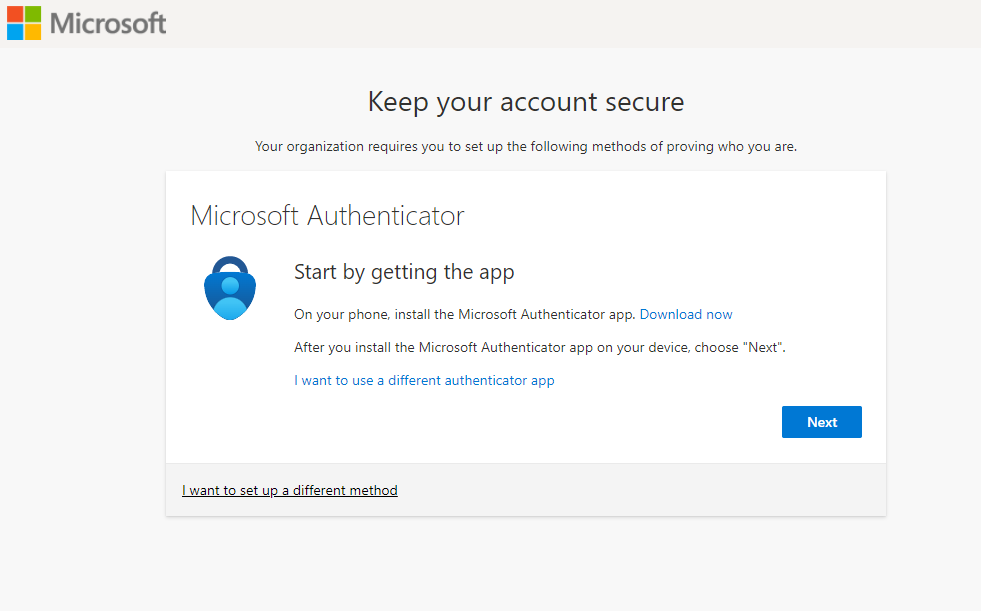
This means users need more than just a password to get in, like a code from their phone or a fingerprint. If a password gets compromised, the extra layer of security keeps attackers out. It’s like having a double lock on your door.
4 practical steps to improve access controls
Enable Multi-Factor Authentication (MFA)
Configure MFA so that users must enter their password and provide a secondary form of verification, such as a code sent to their phone, to add an extra layer of protection in case passwords are compromised.
Use Role-Based Access Control (RBAC)
RBAC allows you to control access based on users’ roles.
This ensures only authorised staff can access sensitive tenant data, while other employees only access information relevant to their duties.
In Azure, configure RBAC to assign the minimum necessary permissions to each user, limiting potential damage in the event of a breach.
Regularly review and update access permissions
People come and go, roles change, and so should access permissions. Regularly check who has access to what and update it as needed.
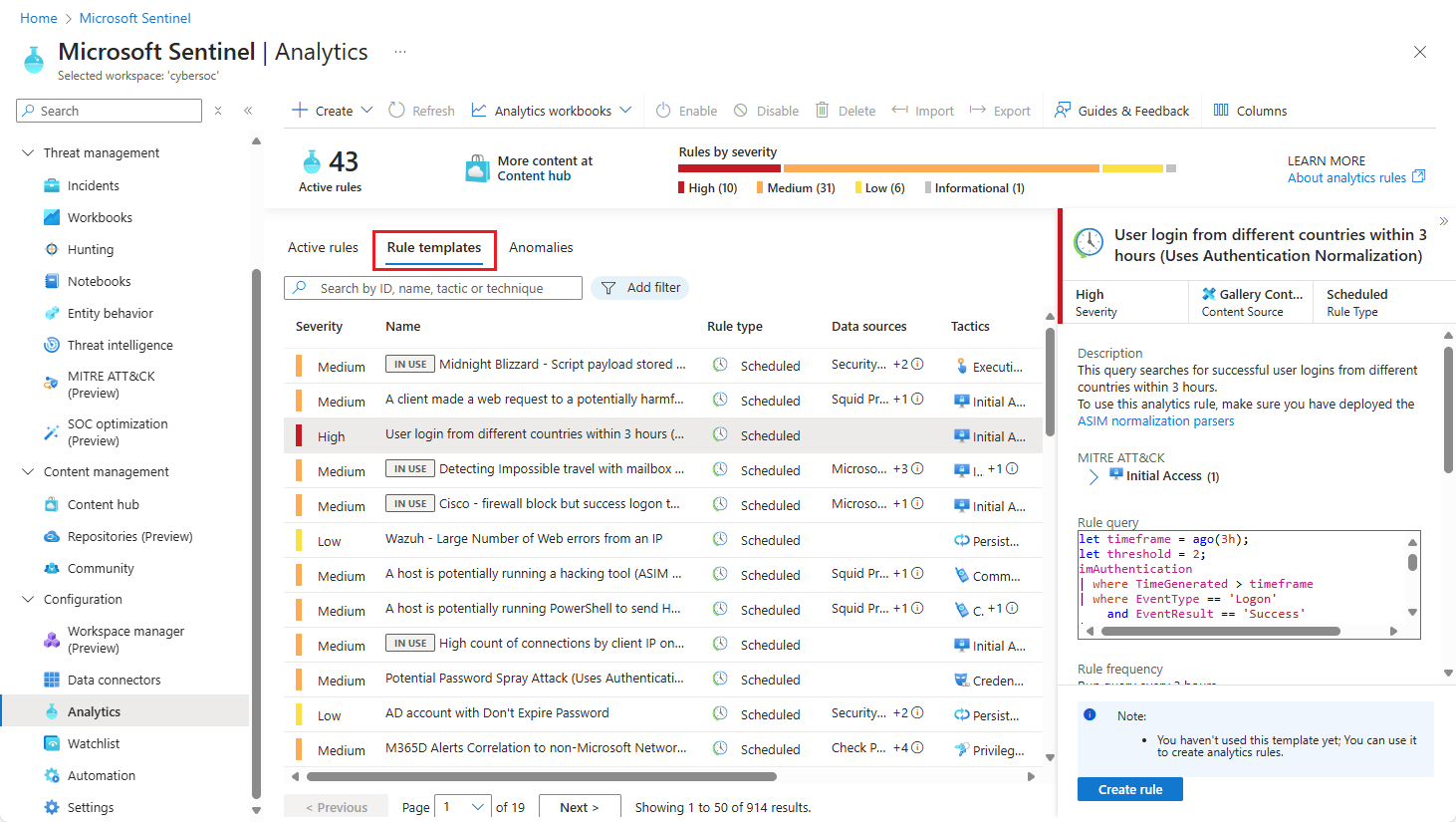
Use a Security Incident and Event Management (SIEM) tool like Microsoft Sentinel to keep an eye on access logs and spot anything unusual. This way, you’re catching potential issues before they become problems.
Implement Conditional Access policies
Conditional Access in Azure checks for more than just a password.
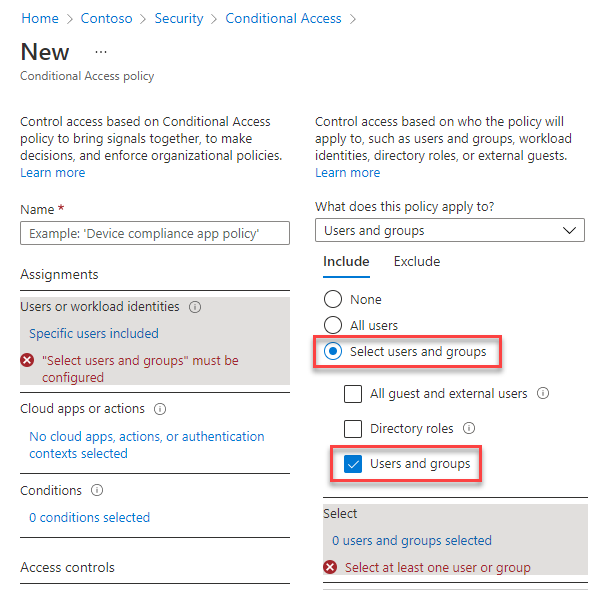
Set policies that require MFA or other security measures based on things like location or device.
If someone tries to access your systems from an unfamiliar place, they’ll have to jump through extra hoops.
Regularly update and patch systems
Many breaches occur because attackers exploit known vulnerabilities in outdated systems. By regularly updating your systems, you reduce the chances of a successful attack and protect your housing association’s sensitive data.
The biggest ransomware attack in history
As reported by the BBC, the infamous WannaCry ransomware attack in 2017 spread rapidly by exploiting vulnerabilities in outdated Windows systems that had not been patched.
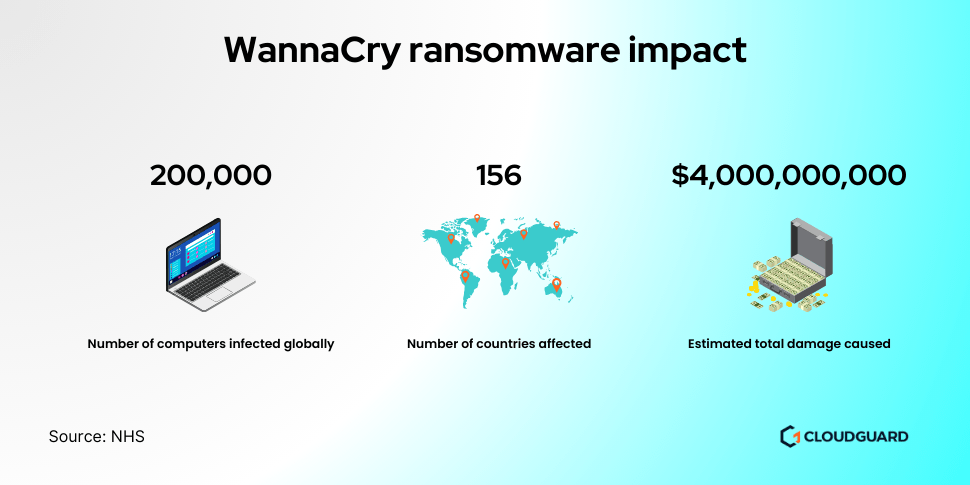
Critical services were disrupted, with the NHS forced to cancel surgeries and appointments.
The attack caused billions of dollars in damages, exposing vulnerabilities in outdated systems and prompting a global push for better cybersecurity and patch management practices.
Microsoft’s tools for system updates
Microsoft offers several tools and services to help you manage system updates and patches effectively.
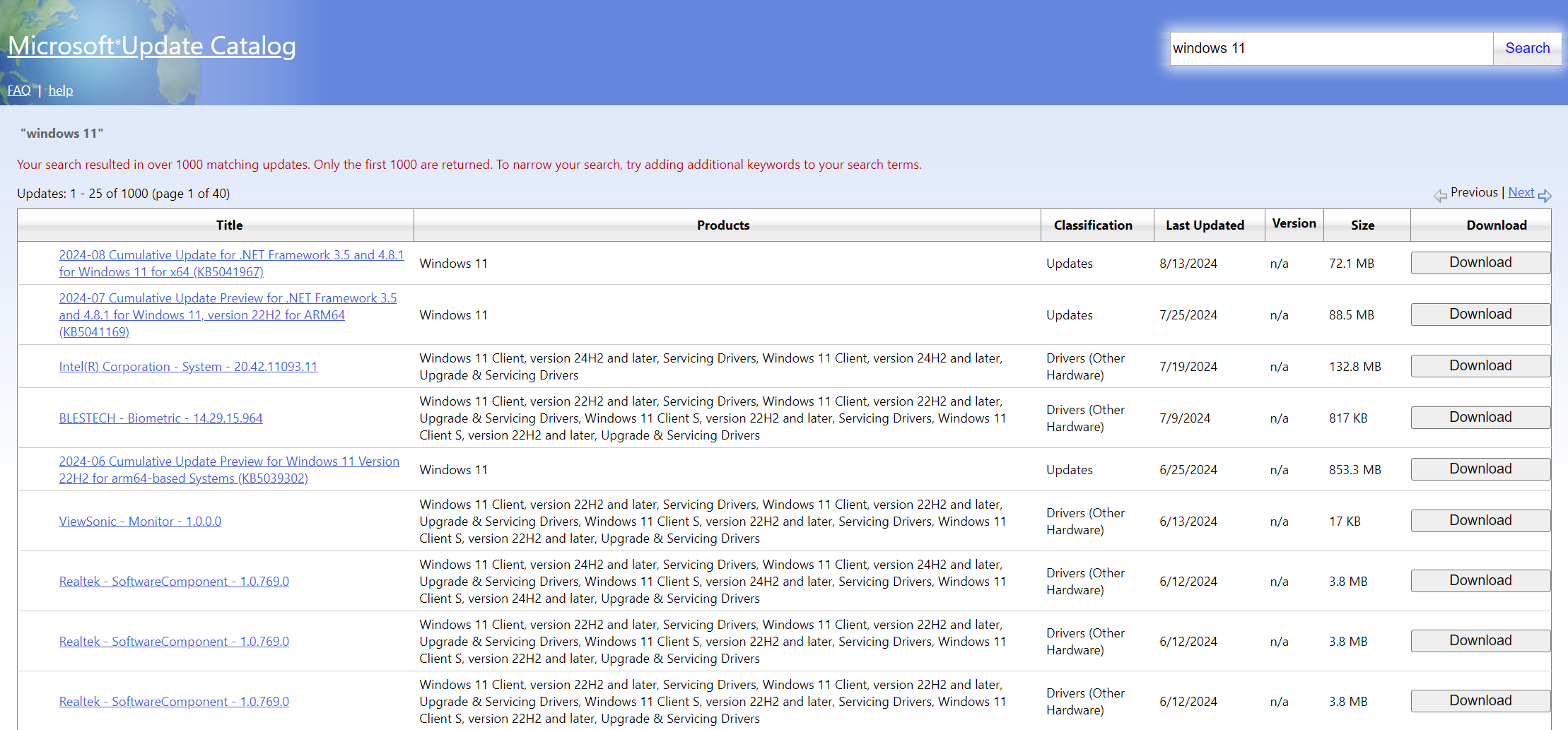
Microsoft Update Catalog provides the latest updates for various Microsoft products, ensuring you can quickly apply patches.
Manage and deploy updates across your organisation’s devices with Microsoft Endpoint Manager. It simplifies the process of keeping systems current and secure.
Practical steps to keep your systems updated
Enable automatic updates
Enable automatic updates to ensure that your systems receive the latest patches as soon as they’re released. This reduces the risk of vulnerabilities being exploited because you’re always running the most secure version of your software.
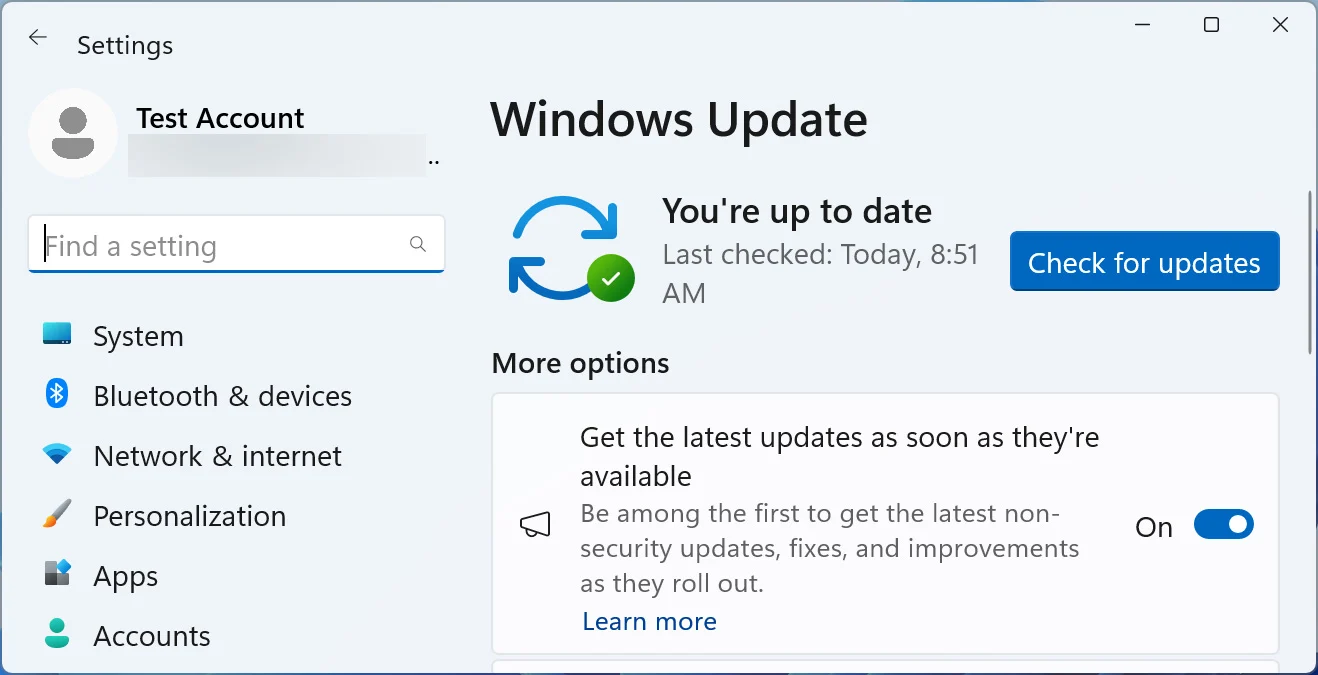
Configure automatic updates through the Windows Update settings, ensuring your operating system and applications are always up-to-date.
Regularly check for updates
Even if you have automatic updates enabled, it’s a good practice to manually check for updates on a regular basis.
This helps ensure that no updates are missed and that any issues with automatic updates are addressed promptly.
Check for and apply updates to ensure your systems are fully patched through Microsoft Update.
Implement a patch management policy
Establish a patch management policy to streamline the process of applying updates across your organisation.
This policy should include procedures for testing patches before deployment, scheduling regular update cycles, and tracking applied updates.
You can use Microsoft Endpoint Manager to manage and enforce this policy, making it easier to maintain a secure environment.
Monitor and respond to vulnerabilities
Stay informed about new vulnerabilities and patches through resources such as Microsoft Security Response Center and security advisories.
Set up alerts for critical updates and vulnerabilities to ensure timely responses.
Microsoft Sentinel can also help monitor for signs of exploitation and alert you to potential issues related to outdated software.
Educate and train staff
It’s no secret that human error is one of the leading causes of data breaches.
In fact, many cyberattacks start with someone accidentally clicking on a malicious link or opening a suspicious email attachment.
The Clarion Housing Association cyber attack in June 2022 was caused by a ransomware attack, which disrupted IT and phone systems, delayed tenant services, and raised concerns about data security. Like many ransomware incidents, it likely involved attackers using phishing techniques to gain unauthorised access to Clarion’s systems.
Phishing attacks have become a go-to strategy for hackers looking to gain access to systems. If your staff aren’t trained to recognise these kinds of threats, your association could easily become a target.
Practical steps for training your staff
Start with basic cybersecurity awareness
Begin by making sure your team understands the basics of cybersecurity.
This includes how to create strong passwords, the importance of using Multi-Factor Authentication (MFA), and recognising common types of cyberattacks, such as phishing and malware.
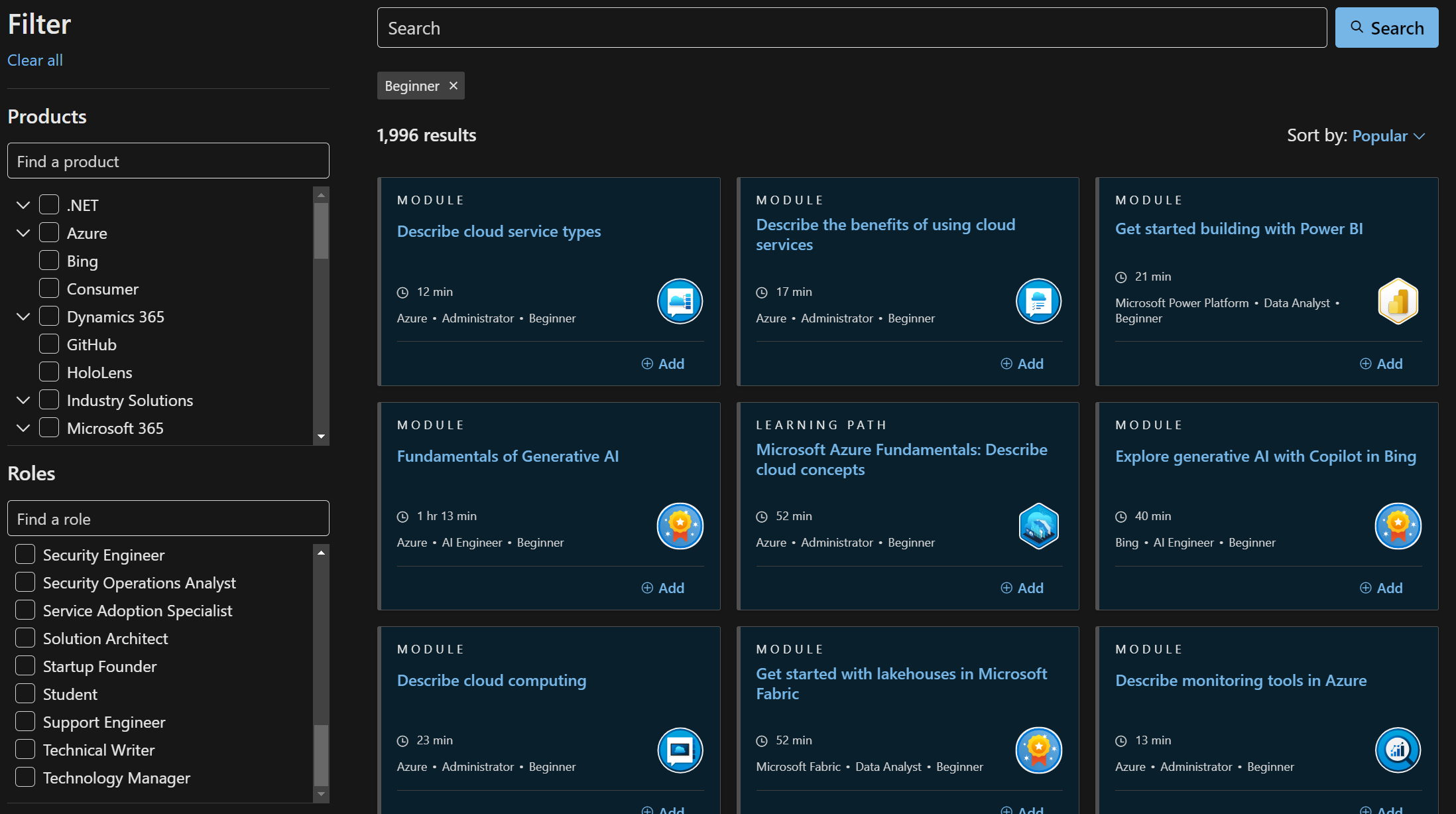
You can use Microsoft Learn to access easy-to-understand training materials or even create your own courses tailored to your organisation’s needs.
Conduct regular phishing simulations
Phishing attacks are one of the most common threats your staff will face, so it’s essential they know how to spot them.
Set up phishing simulations using Microsoft Defender for Office 365. This allows you to test your employees’ responses in a safe environment.
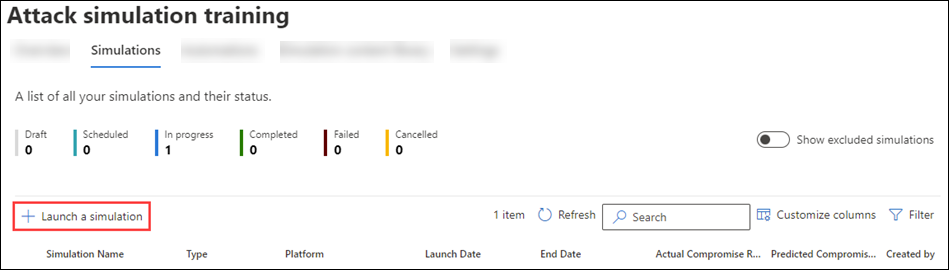
These exercises are a great way to raise awareness and improve staff vigilance. Hopefully, they will think twice before clicking on unexpected links or attachments.
Offer ongoing training and refreshers
Cybersecurity isn’t something you can teach once and forget about. The threat landscape is constantly changing, and so should your training efforts.
Make cybersecurity training a regular part of your staff’s development. Encourage them to take relevant courses on Microsoft Learn and stay updated on the latest threats and best practices.
Regular refreshers will help reinforce their knowledge and build a culture of security within your organisation.
Encourage staff to report suspicious activity
Create a culture where staff feel comfortable reporting anything suspicious. It could be an unusual email, a strange pop-up, or something they’ve noticed while working remotely.
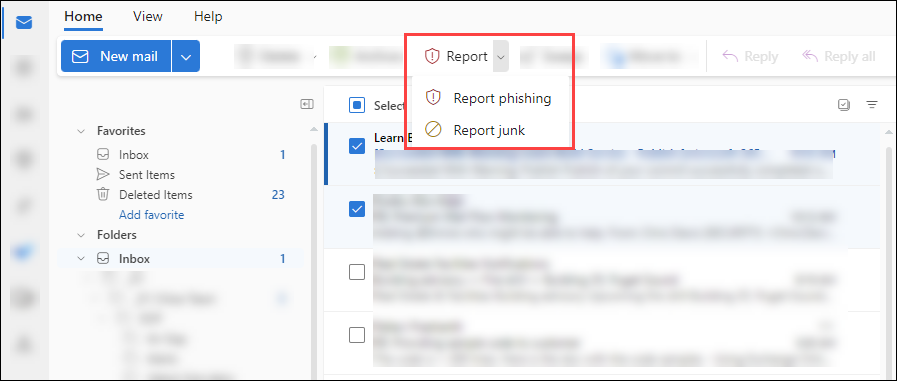
The quicker potential threats are flagged, the faster you can respond and prevent a breach. Consider setting up a simple reporting system, and ensure your team knows how to use it.
Microsoft Sentinel can help you monitor and investigate suspicious activity that’s reported, allowing you to take swift action when needed.
Optimise Azure security with Entra and Microsoft Sentinel
As more housing associations move their operations to the cloud, securing your digital environment is more critical than ever.
Azure is a powerful cloud platform, but it needs to be properly secured to ensure tenant data is protected. Without optimisation, you leave gaps that attackers can exploit.
You can improve your Azure security by using Microsoft Entra and Microsoft Sentinel. This means your systems are always monitored, protected, and compliant.
How Microsoft Entra strengthens your identity security
Microsoft Entra is your go-to solution for managing identities and securing access to your Azure environment.
It allows you to control who has access to your resources, how they access them, and what they can do once inside.
For housing associations, this means protecting sensitive tenant data while allowing your staff to work efficiently.
Centralised identity management
You can streamline identity management with Microsoft Entra, ensuring that only the right people have access to the right data. It simplifies the process of setting up and managing access across all your systems.
Whether staff are accessing tenant records or financial systems, you can enforce strong identity controls to ensure their access is secure.
Multi-Factor Authentication (MFA)
One of Entra’s key features is the ability to enforce Multi-Factor Authentication (MFA) across your organisation.
This adds an extra layer of security, making it harder for attackers to gain access even if they’ve stolen a password. By requiring a second form of authentication, like a code from a mobile device, you ensure that only authorised users get in.
Conditional access policies
Entra allows you to create conditional access policies that help you control access based on specific conditions, such as the user’s location or the device they’re using.
For instance, if someone tries to access your system from an unfamiliar or risky location, you can require additional verification steps or block access entirely.
This ensures that only trusted users and devices can get into your environment.
How Microsoft Sentinel improves visibility and response
While Entra helps control access, Microsoft Sentinel is your all-seeing eye.
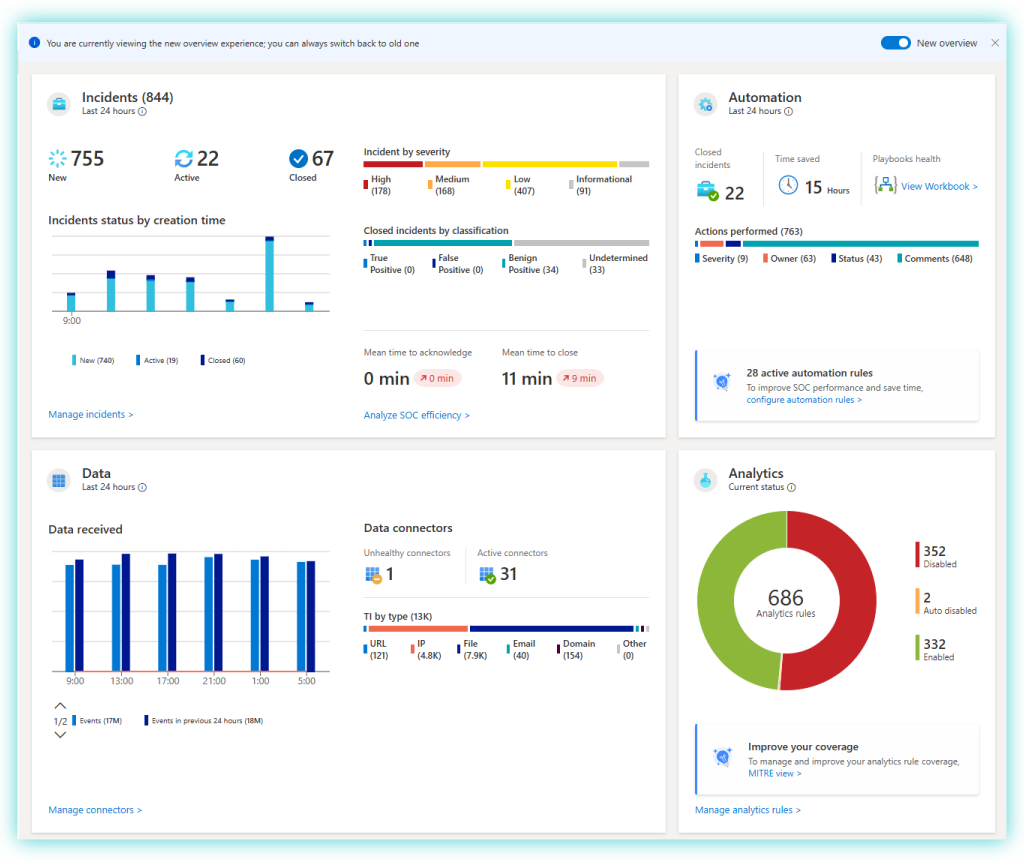
It’s a Security Information and Event Management (SIEM) tool that collects data across your cloud environment, helping you detect, prevent, and respond to threats in real time.
Housing associations deal with vast amounts of sensitive data, so having full visibility into your Azure environment is essential.
Real-time threat detection
Microsoft Sentinel gives you real-time monitoring of your Azure environment. It collects data from various sources, such as your servers, devices, and user activities, and uses built-in AI to detect unusual or suspicious activity.
This means you can spot threats early, before they cause serious damage. With this level of insight, you’re not just reacting to threats, you’re staying ahead of them.
Automated incident response
Sentinel automates your responses to specific threats.
Set up automated workflows so the system responds immediately when a threat is detected. The action could be blocking access, sending an alert, or starting an investigation.
This reduces the time it takes to address potential breaches, minimising the impact of any attack.
Customisable alerts and reports
Every housing association is unique, and so are your security needs.
Customise alerts in Microsoft Sentinel based on your specific requirements. Set up custom alerts to notify you about unusual login attempts, suspicious data transfers, or any other activity that could indicate a potential threat.
Generate detailed reports to gain insight into your security posture and identify areas for improvement.
Develop and test an Incident Response Plan (IRP)
There’s always a chance something could slip through the cracks. No matter the strength of your security.
That’s why having a solid Incident Response Plan (IRP) is essential. It’s your blueprint for how to respond quickly and effectively if a breach or attack occurs.
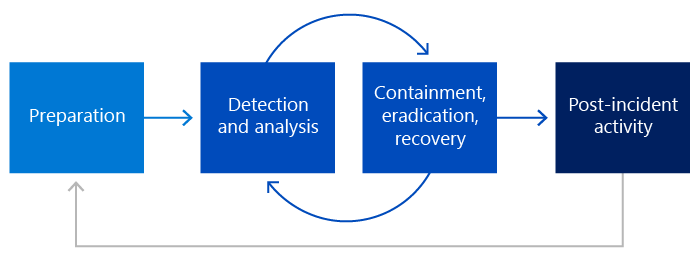
For housing associations, where sensitive tenant data is at risk, a well-prepared response can make all the difference between a manageable incident and a full-blown crisis.
What should be in your IRP?
An IRP isn’t just a document that sits on a shelf. It needs to be a practical, actionable plan that everyone in your organisation understands.
It outlines the steps your team should take if there’s a security breach, from identifying the issue to communicating with stakeholders and recovering your systems.
CloudGuard can help housing associations shape and develop their Incident Response Plan.
Key elements of an effective IRP
Define roles and responsibilities
The first step in creating your IRP is assigning clear roles and responsibilities.
Everyone on your team needs to know exactly what their job is during an incident. Who’s responsible for identifying the threat? Who communicates with external partners, like IT providers or even law enforcement?
Set up predefined groups and communication channels in Microsoft Teams for quick collaboration during an incident, ensuring everyone stays informed and connected.
Set up a clear communication plan
Communication is critical during a cyber incident. Your IRP should include detailed communication protocols, both internal and external.
Internally, your staff should know how to report a suspected breach and what steps to take next. Externally, you may need to communicate with tenants, regulators, and even the media.
Going back to the Clarion Housing cyber attack, the BBC reported that residents were left frustrated by the lack of communication following the attack.
Outline steps for containment and recovery
Once an incident is identified, your team needs to act quickly to contain the breach and minimise the damage.
This part of your IRP should outline specific steps for isolating affected systems, securing any exposed data, and preventing further spread.
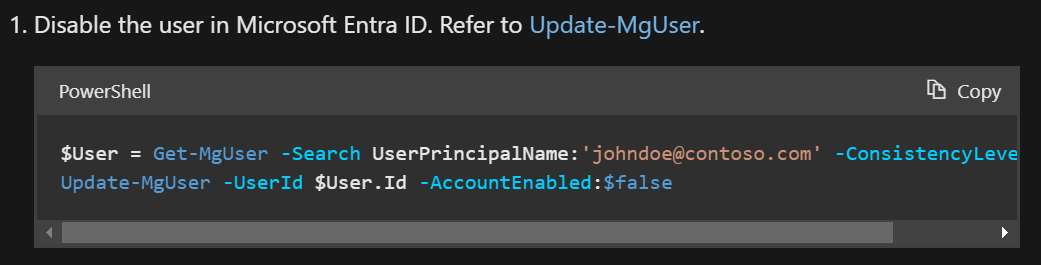
If a phishing attack results in unauthorised access, your team should know how to revoke access immediately using Microsoft Entra to shut down compromised accounts.
After containment, the focus shifts to recovery. This ensures your housing association can return to normal operations.
Regularly test your IRP
Writing an IRP is only half the job. You need to regularly test it to ensure it’s effective.
Run drills that simulate different types of cyberattacks, from ransomware to data breaches, and evaluate how well your team responds.
Microsoft tools like Azure Security Center and Microsoft Defender can simulate attacks in a controlled environment, allowing you to stress-test your plan. Alternatively, CloudGuard’s TableTop Excercises (TTX) allow you to test various attack simulations and get expert insight into improving your IRP.
Testing helps identify gaps and areas for improvement, so when a real incident occurs, your team is prepared and confident in their ability to respond.
Learn from incidents and improve
Every incident, whether real or a drill, provides valuable lessons.
Your IRP should include a process for reviewing and analysing the response after an incident. This helps you identify what worked well and where improvements are needed.
View the detailed incident reports in Microsoft Sentinel to assess your response and identify any weaknesses.
Summary
By implementing strong access controls, regularly updating systems, educating staff, optimising your Azure security, and developing a robust Incident Response Plan, you can significantly reduce the risk of a breach.
These practical steps not only protect sensitive tenant data and keep your operations running but also helps maintain trust and ensure compliance.
Remember, cybersecurity is not just a one-off task. It’s an ongoing commitment.
TL;DR: key actionable steps
- Implement strong access controls
- Use Multi-Factor Authentication (MFA) and role-based access control to secure systems.
- Deploy Microsoft Entra for identity management and conditional access.
- Regularly update and patch systems
- Schedule automatic updates to avoid vulnerabilities.
- Use Microsoft Defender and Azure Security Center to manage patches and assess risks.
- Educate and train staff
- Conduct regular cybersecurity training, focusing on phishing awareness.
- Use Microsoft Defender for Office 365 for phishing simulations and training programs.
- Optimise Azure security with Entra and Microsoft Sentinel
- Enforce identity and access management with Microsoft Entra.
- Use Microsoft Sentinel for real-time threat detection and automated incident response.
- Develop and test an Incident Response Plan (IRP)
- Create a detailed plan, assign roles, and test regularly.
- Use Microsoft Sentinel to monitor, detect, and improve incident responses.